
100 Envelope Savings Challenge helps you record money you set aside yourself. Create a challenge, draw an envelope, put aside the displayed amount, then tap Mark as Saved. Drawing alone does not increase your saved total. The app does not connect to your bank or move money.
Set up a challenge and record your first envelope
- Open the challenge list and create a new challenge. Give it a name, such as Travel Fund.
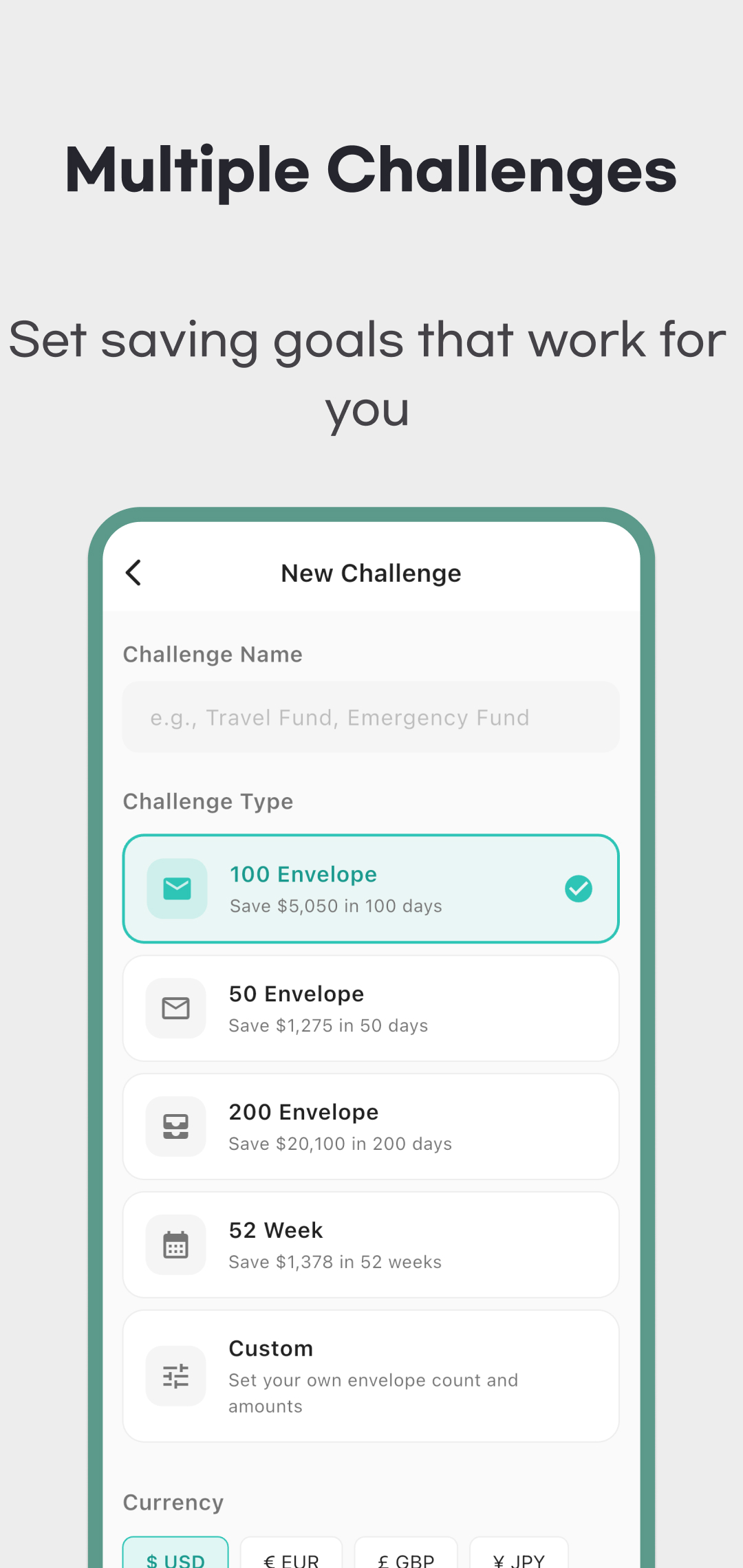
- Choose 50, 100, 200 envelopes, 52 Week, or Custom. Select the currency explicitly; the creation screen starts with USD. Check the total goal before creating it.
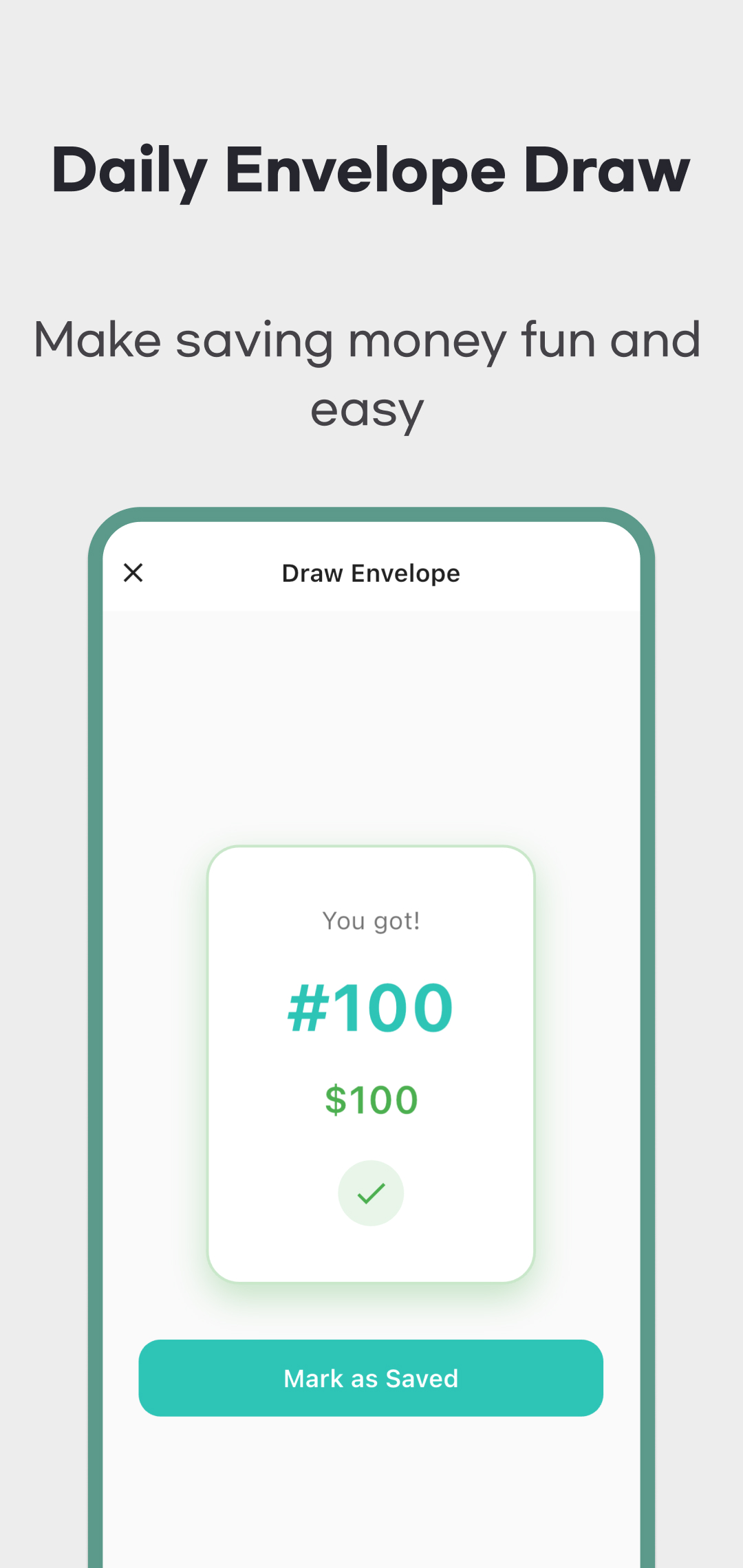
- On Home, tap Draw Envelope and open the envelope. Its amount is selected and kept for you, but is still unpaid in the app.
- After setting aside that amount, tap Mark as Saved. If you need more time, use Save Later; the same pending envelope returns when you reopen the draw screen, even on a later day.
- Check the envelope grid and Stats, then return on another day for the next envelope. Completing a carried-over envelope uses that day's completion, so another new draw is unavailable that day.
These are recording steps, not an automatic savings plan. The app permits at most one completed envelope per challenge per calendar day. Skipping days or keeping an envelope pending extends the time needed; choosing 100 envelopes does not guarantee completion in 100 days.
Check the currency and goal before starting
The presets assign increasing envelope amounts. USD uses $1 through the preset's envelope count; KRW uses ₩1,000 steps. The totals below assume that every envelope is completed.
| Choice | USD envelope range / total | KRW envelope range / total |
|---|---|---|
| 50 envelopes | $1–$50 / $1,275 | ₩1,000–₩50,000 / ₩1,275,000 |
| 100 envelopes | $1–$100 / $5,050 | ₩1,000–₩100,000 / ₩5,050,000 |
| 200 envelopes | $1–$200 / $20,100 | ₩1,000–₩200,000 / ₩20,100,000 |
| 52 Week: 52 envelopes | $1–$52 / $1,378 | ₩1,000–₩52,000 / ₩1,378,000 |
The 52 Week label supplies 52 envelopes; it does not enforce a weekly draw schedule. You can follow your own weekly pace, while the same daily completion limit applies.
Custom spreads amounts evenly between the minimum and maximum across the chosen envelope count. For example, 10 envelopes with minimum 1 and maximum 100 produce $1, $12, $23, and so on through $100, totaling $505 in USD. With KRW selected, those same inputs are scaled by 1,000: ₩1,000 through ₩100,000, totaling ₩505,000. Review the displayed goal rather than treating the inputs as literal won amounts.
Changing a challenge's currency later rescales all envelope amounts, including completed records and the goal, using the app's fixed currency multipliers. It is not an exchange-rate conversion. Choose the currency before recording savings; if you change it, check completed amounts against your own money records. Custom amounts can also have fractions, while JPY and KRW displays round to whole units.
Keep a pending envelope or swap for a smaller amount
Save Later retains the selected envelope; it does not count as saving, discard the envelope or give you a fresh random amount the next morning. Returning to it is useful when you have not yet put the money aside.
Version 1.3 offers Watch Ad and Swap when a strictly smaller unopened envelope remains and this selection has not already been swapped. The offer shows the possible smaller range. You cannot pick the exact replacement. A successful swap returns the original envelope to the unopened pool and replaces the pending amount once; it still needs Mark as Saved after you save the money.
Keeping the envelope or closing the advertisement without earning its reward leaves the selection unchanged. If the advertisement is unavailable, the app can apply one free smaller replacement and show a message. No swap is offered for the smallest remaining amount, equal-only remaining amounts, the last envelope, or an already swapped selection. Swapping changes the order, not the final total you would need to save.
Read progress and statistics for the selected challenge
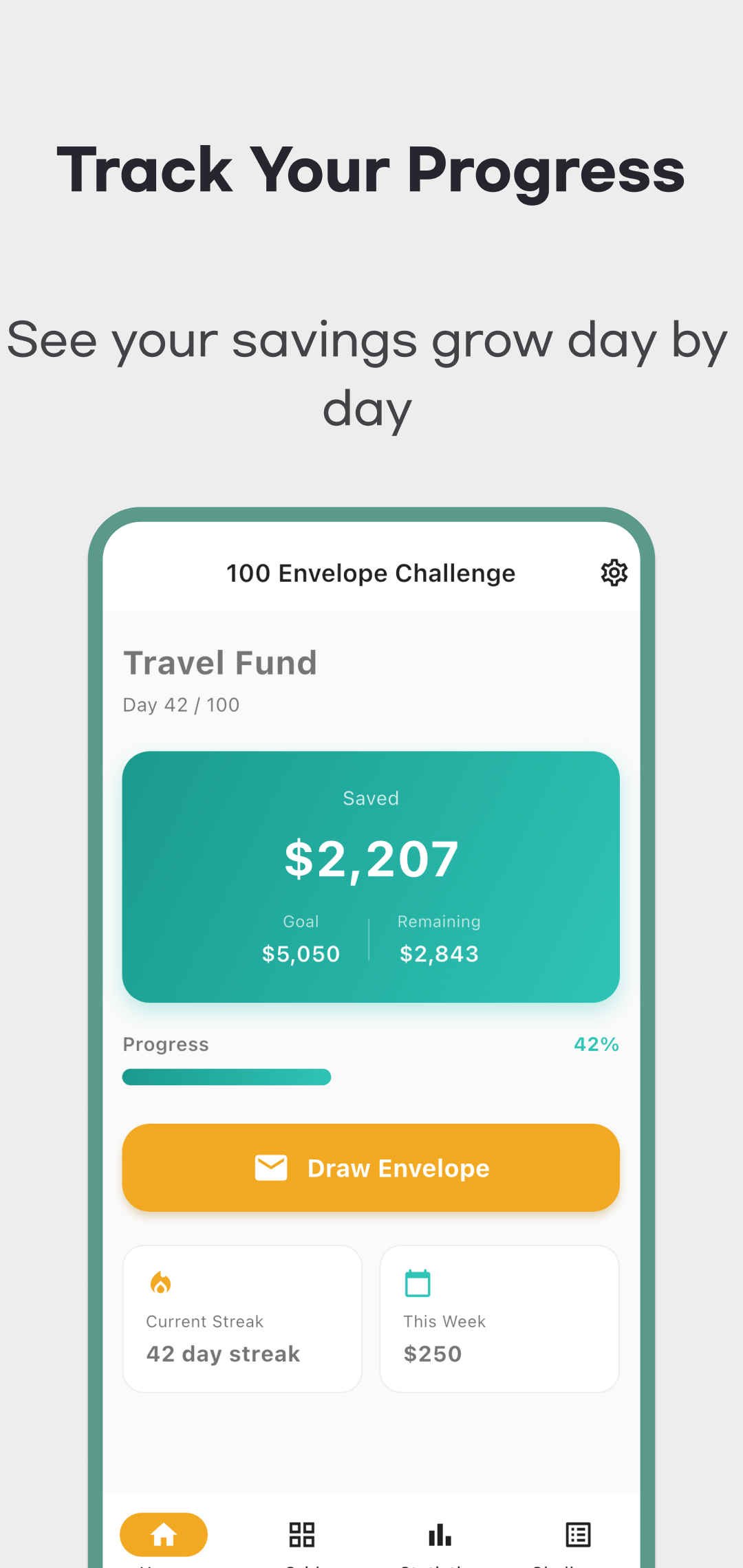
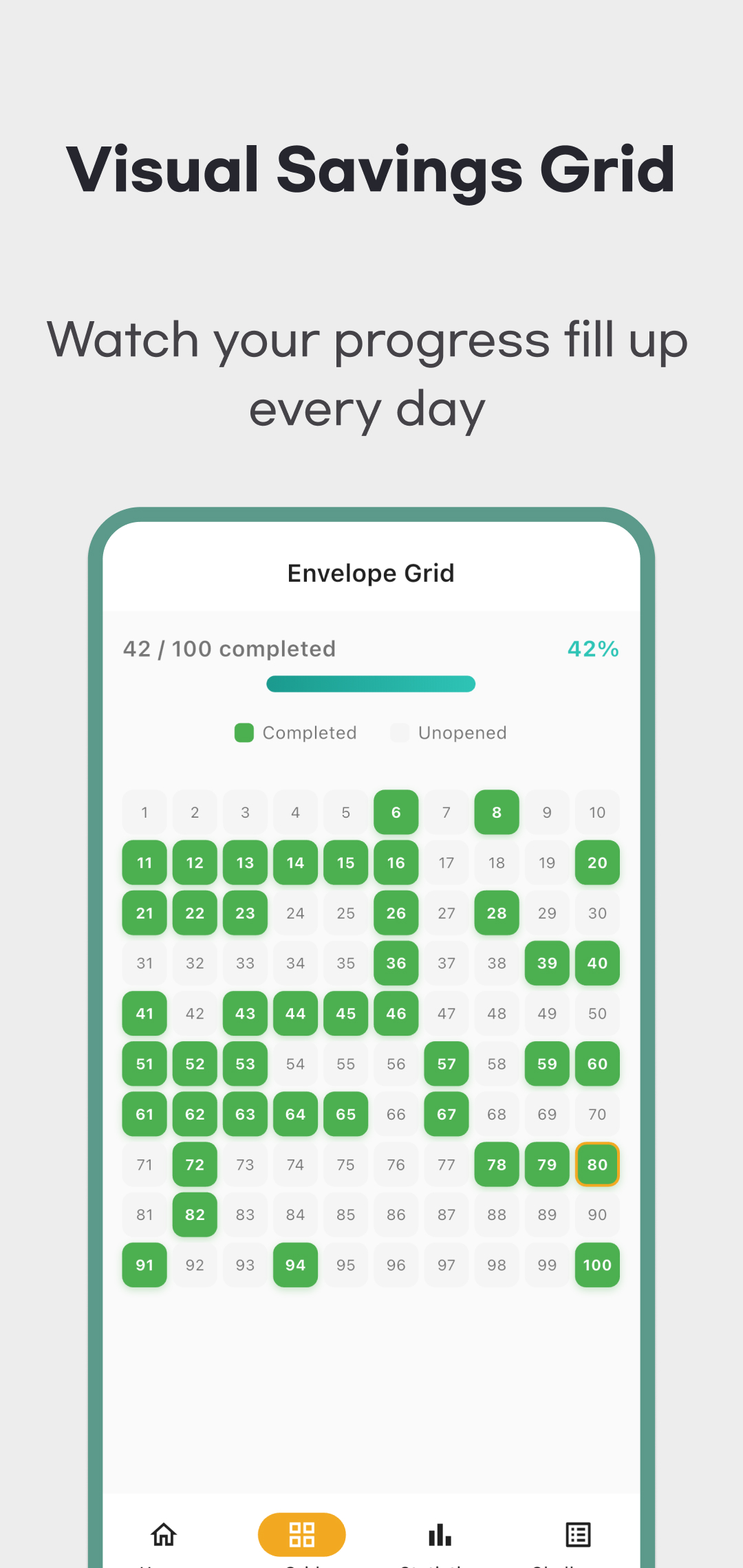
Progress counts completed envelopes, not the percentage of money saved. Completing the $1 envelope in a 100-envelope USD challenge means 1% of envelopes are complete, but only $1 of the $5,050 goal has been recorded. Saved amount sums completed envelopes; a pending envelope is excluded.
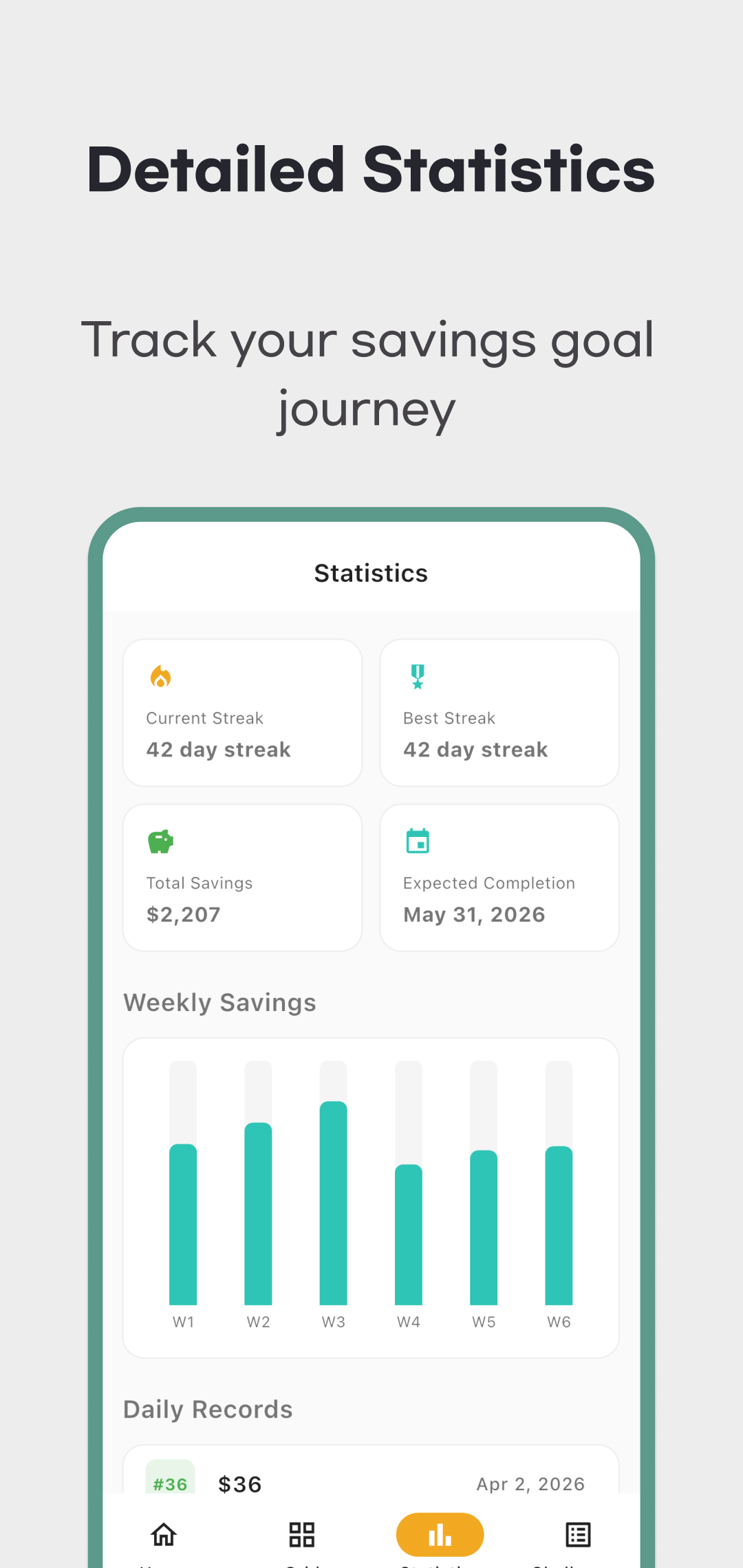
The grid distinguishes completed and unopened envelopes and shows envelope details when tapped. The 100-envelope preset uses a 10 × 10 grid; other counts use different layouts. Stats shows the currently selected challenge's saved amount, streaks, weekly chart and daily records, not a combined lifetime total across every challenge. Switch the active challenge to review another one. The weekly chart groups seven-day periods from the challenge's start; an expected completion date is an estimate from recorded progress, not a deadline or promise.
Records, reminders and support
Challenge records are stored locally on the device. The app does not provide bank synchronization or an accessible cloud-backup/import workflow in the checked version. Deleting a challenge removes its local history; do not assume deleting the app, reinstalling it or changing devices will restore your records. Keep a separate record of money you actually set aside.
In Settings you can enable reminders and choose a notification time. Device permission and operating-system settings affect delivery. Advertisements and consent services can use the network, so local record storage does not mean the entire app is offline or that no data is handled by advertising services.
The usage and amount examples above were checked against version 1.3.0 app source and current store information on October 10, 2026. The five retained images are historical April 2026 promotional material; they do not verify every current screen or an installed device's behavior.
Use the download links on this page to install the app. For help with a saved or pending envelope, contact support with the app version, challenge currency and steps that produced the issue. Read the privacy policy for data and advertising details.