
Day Rate Calendar – Work Log lets you save work units and allowances by site, then review amounts for a selected period. You can keep separate entries for two sites on the same date, set a special half-day amount, and apply a rate to an individual entry.
The day count is a work unit you enter according to your agreement with the site. It is not automatically derived from clock-in and clock-out times. Check the applicable unit and rate before logging work.
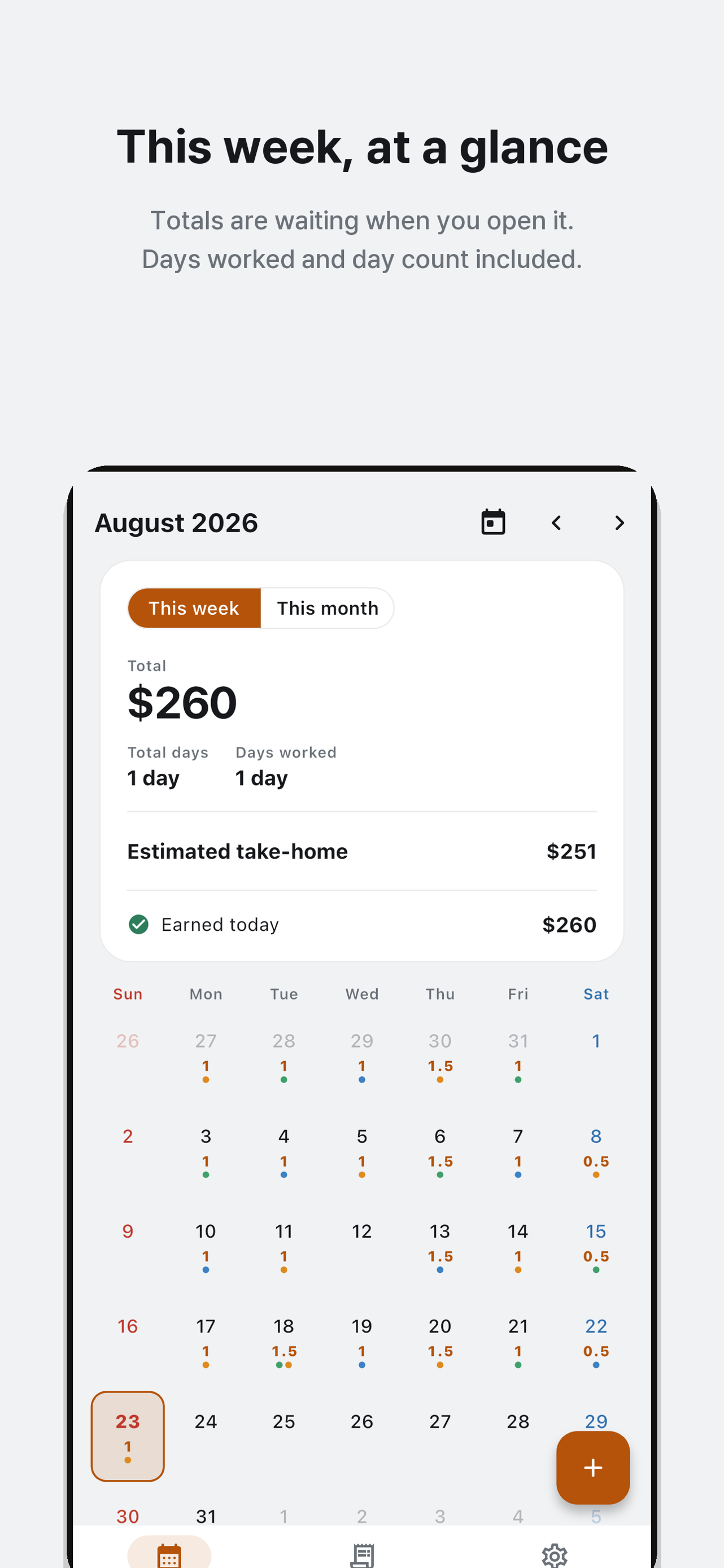
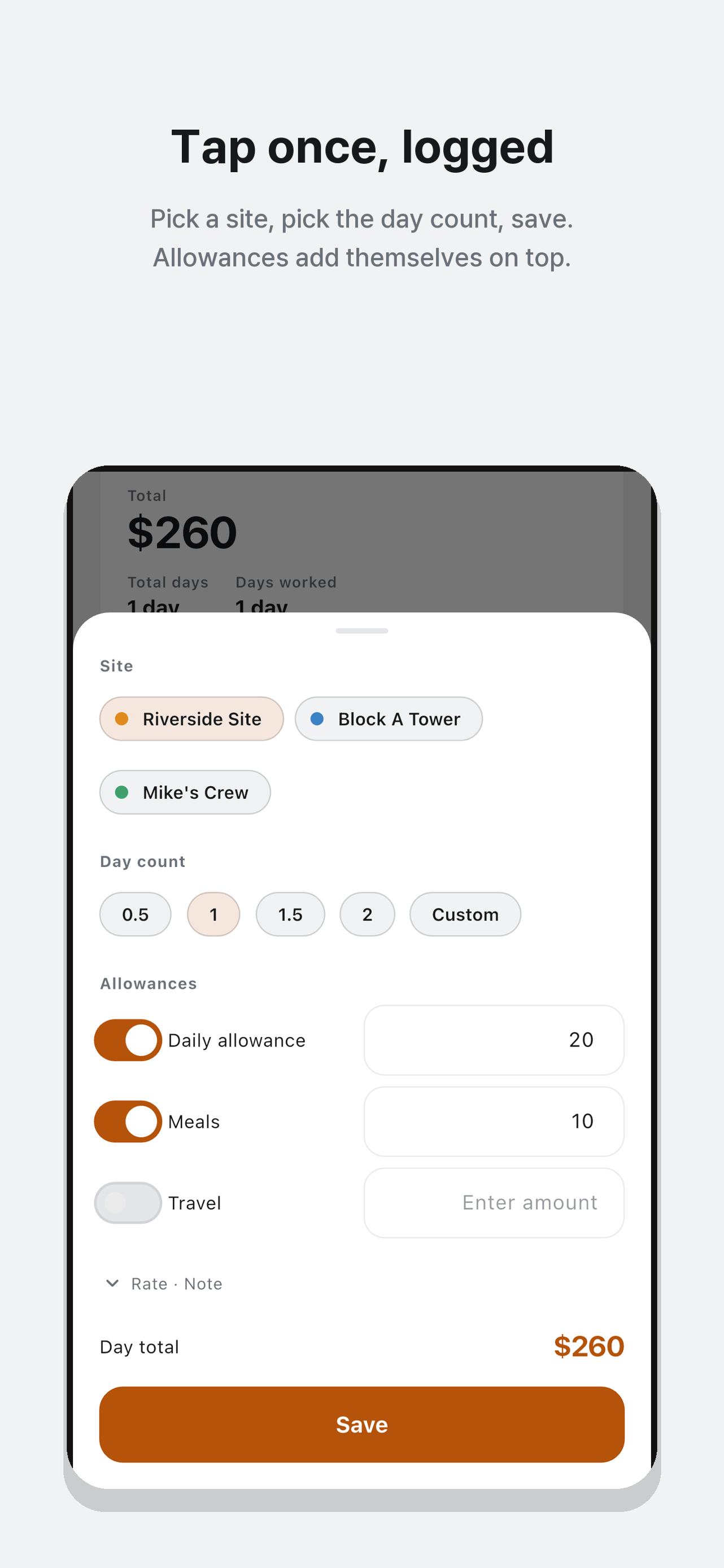
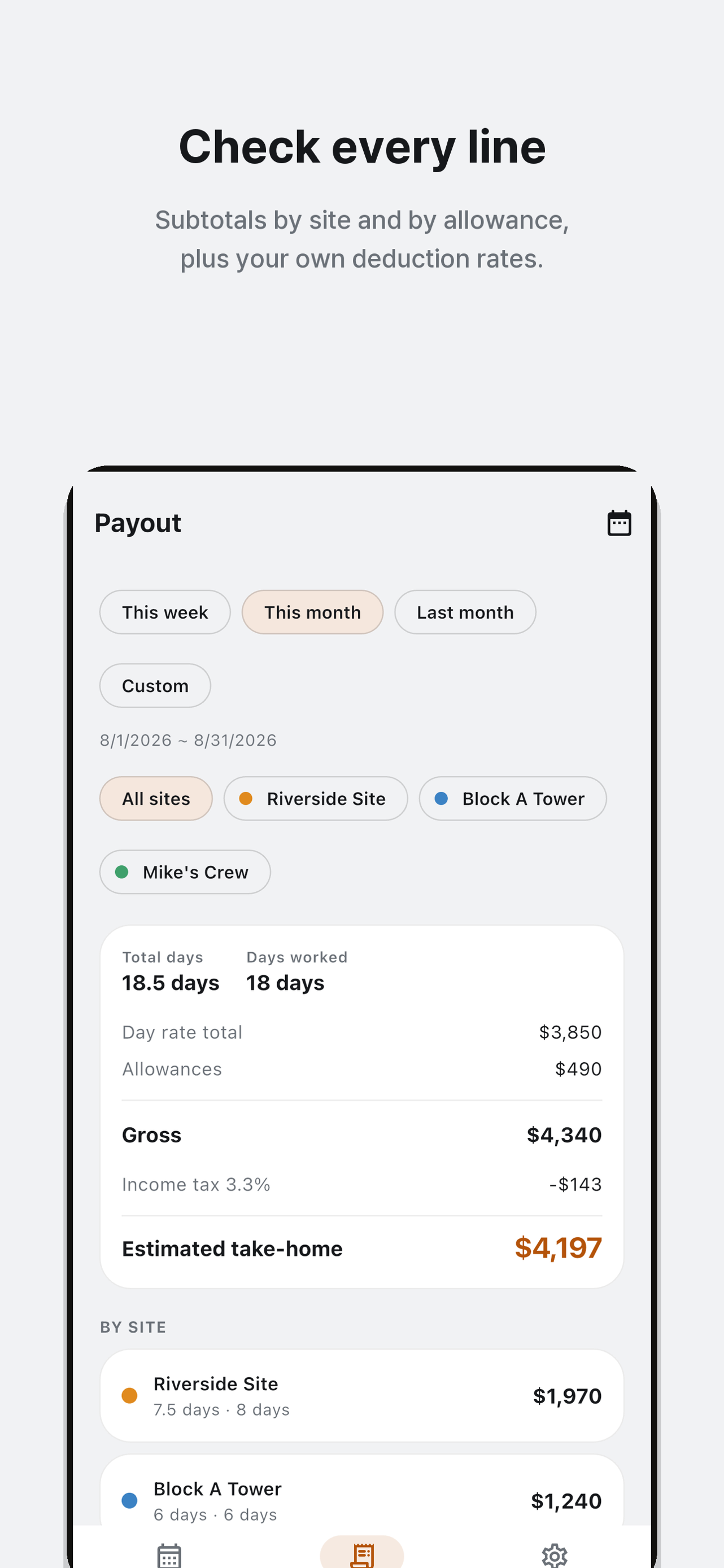
The images below are August 2026 examples from the official App Store listing. Their dollar amounts and deduction inputs belong to a different sample from the October calculations in Korean won in this article.
Set up a site and allowance items
In Settings, add a site with its name and Rate per day. If a half-day payment differs from half the full rate, set a separate half-day amount. You can have up to three active sites. Archive a site you no longer use to remove it from new-entry choices while retaining its earlier records.
For example, Site A with a rate of KRW 150,000 and a half-day amount of KRW 80,000 gives KRW 80,000 for 0.5 day and KRW 230,000 for 1.5 days. The special half-day amount applies when the fractional part is exactly 0.5. With the same settings, 1.375 days is calculated proportionally: 150,000 × 1.375 = KRW 206,250.
Add recurring meals or travel items under Allowance items. With Multiply by day count off, the amount is added to the saved entry as a flat allowance. With it on, the allowance rate is multiplied by that entry's day count. Allowances can attach to multiple entries on one date, so avoid selecting the same meal allowance on every entry if you receive it only once that day.
Save and correct a calendar entry
- Select the work date in Calendar and add an entry.
- Choose a site and 0.5, 1, 1.5 or a custom day count. Custom values support up to three decimal places.
- Check allowances and a memo. If needed, enter a different rate for this entry only.
- Check the payment preview and save. Add a separate entry for another site on the same date.
To correct an entry, open that date's existing record, change its rate, count or allowances, and save. Creating another entry instead of editing can double-count the work.
An individual rate overrides the site's special half-day amount. For Site A above, setting an entry rate of KRW 180,000 on a 0.5-day entry produces a base amount of KRW 90,000, rather than the site's KRW 80,000 half-day amount.
A payout example with three entries on two dates
Set Site A to KRW 150,000 per day with a special half-day amount of KRW 80,000. Set Site B to KRW 200,000 per day with no special half-day amount. Meals and travel below are flat allowances. All amounts are illustrative and shown in Korean won.
| Date and site | Day count | Base amount | Allowance | Entry total |
|---|---|---|---|---|
| October 1, Site A | 1.5 | KRW 230,000 | Meals: KRW 10,000 | KRW 240,000 |
| October 1, Site B | 0.5 | KRW 100,000 | Travel: KRW 5,000 | KRW 105,000 |
| October 2, Site A | 0.5 | KRW 80,000 | Meals: KRW 10,000 | KRW 90,000 |
In the payout screen, choose a period covering both dates and all sites. Total day count is 2.5, while days worked is 2: two sites on the same date still count as one work date. Filtering to Site A gives 2 units across 2 dates and KRW 330,000; Site B gives 0.5 unit on 1 date and KRW 105,000.
Deductions start empty. The next table assumes you have entered a single 2% example deduction yourself. It is not a tax rate or a recommended deduction for your contract.
| Summary item | Result | Calculation |
|---|---|---|
| Base amounts | KRW 410,000 | 230,000 + 100,000 + 80,000 |
| Allowances | KRW 25,000 | 10,000 + 5,000 + 10,000 |
| Gross total | KRW 435,000 | 410,000 + 25,000 |
| Example 2% deduction | KRW 8,700 | 435,000 × 0.02 |
| Estimated net amount | KRW 426,300 | 435,000 − 8,700 |
You choose deduction names and percentages. Each percentage applies to the gross total, including allowances. With multiple deductions, each amount is rounded to a whole won before being added. The app does not determine legal tax rates, classify your contract or confirm an actual payment.
Track unpaid entries and copy a summary
Enable unpaid tracking in Settings to mark an entry as not paid yet. If only the Site B entry in this example is unpaid, the unpaid amount is KRW 105,000. It sums that entry's base and allowances before percentage deductions. It is a separate measure from the period's estimated net amount of KRW 426,300. New entries default to paid, so check their status when payment is outstanding.
Choose a preset such as this month or last month, or set a custom date range and site filter. Copying the payout summary places text on the clipboard, including the period, work units, dates worked, site totals, deductions and estimated amount. The copied text is not a restorable record backup or a CSV export.
Check which rate a change affects
Changing a site's default rate can affect calculations for earlier entries without an individual rate. Do not assume all historical amounts are fixed: check the period and applied rates when reviewing a payout.
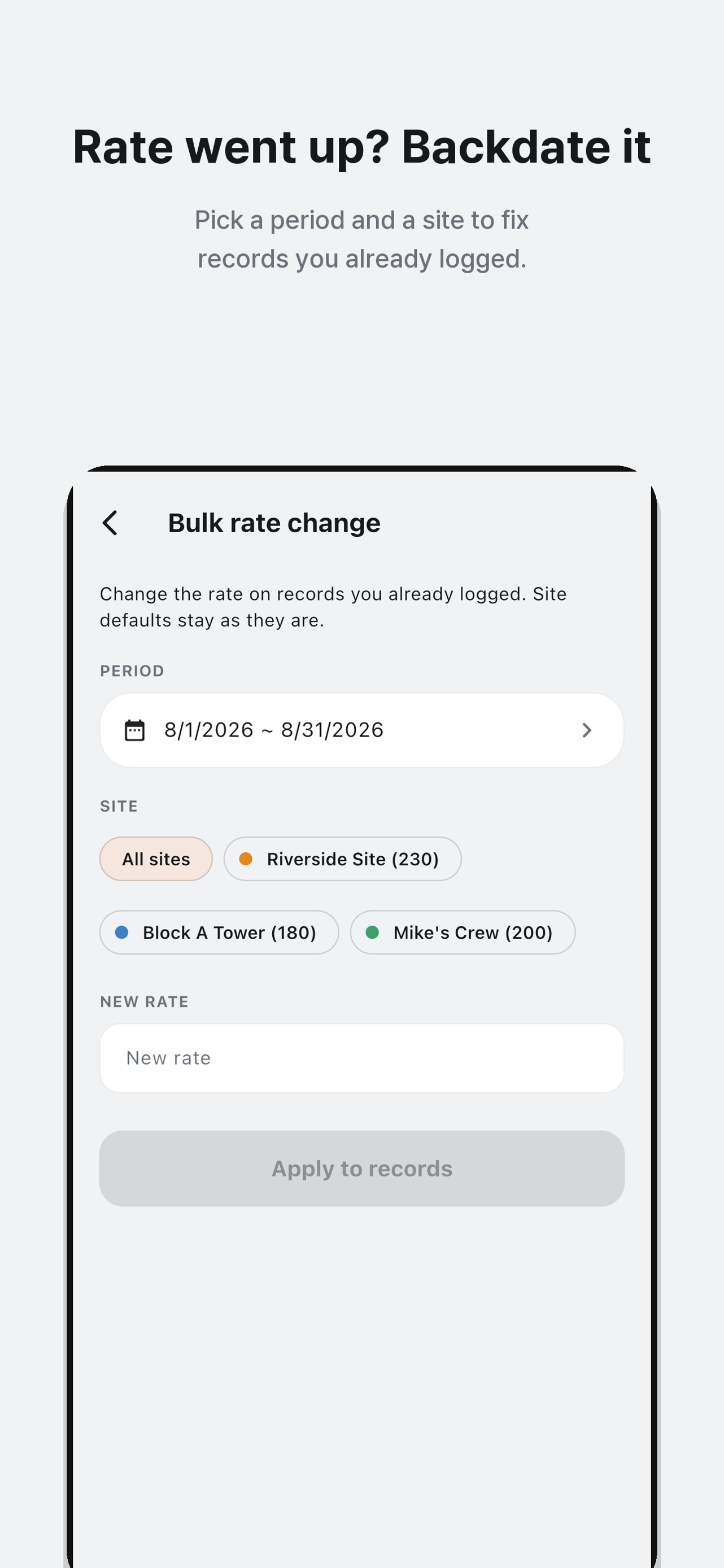
Bulk rate change leaves the site's default alone and sets individual rates on existing entries for the selected site and period. Applying KRW 180,000 to both Site A entries above changes their totals to KRW 280,000 and KRW 100,000. Site B stays at KRW 105,000. Gross becomes KRW 485,000; the example 2% deduction becomes KRW 9,700, giving an estimated KRW 475,300. The site's half-day amount does not take precedence over these individual rates.
Keep your records and get started
Entries are stored in a local database on your device. The checked feature set does not include record backup and restore, cloud sync, CSV export or work reminder menus. Keep information you need separately before changing devices or deleting the app. Advertising services may use the network; local storage does not guarantee that the entire app makes no external connections.
Start with one site and one actual entry. Compare its preview with the amount you agreed on before continuing your log.