
DOB Calculator stores a birth date and lets you choose the date used for its age and birthday calculations. Use Calculator for a selected reference date, Stats for illustrative life totals, and Friends or Memories for local birthday notes. Check the reference date before reading a countdown: the date saved from a previous session can still be selected.
Set a birth date and check the calculation
- On first use, choose Select Your Birth Date, pick your date, and press Continue. The birth-date picker runs from 1900 to the current device date.
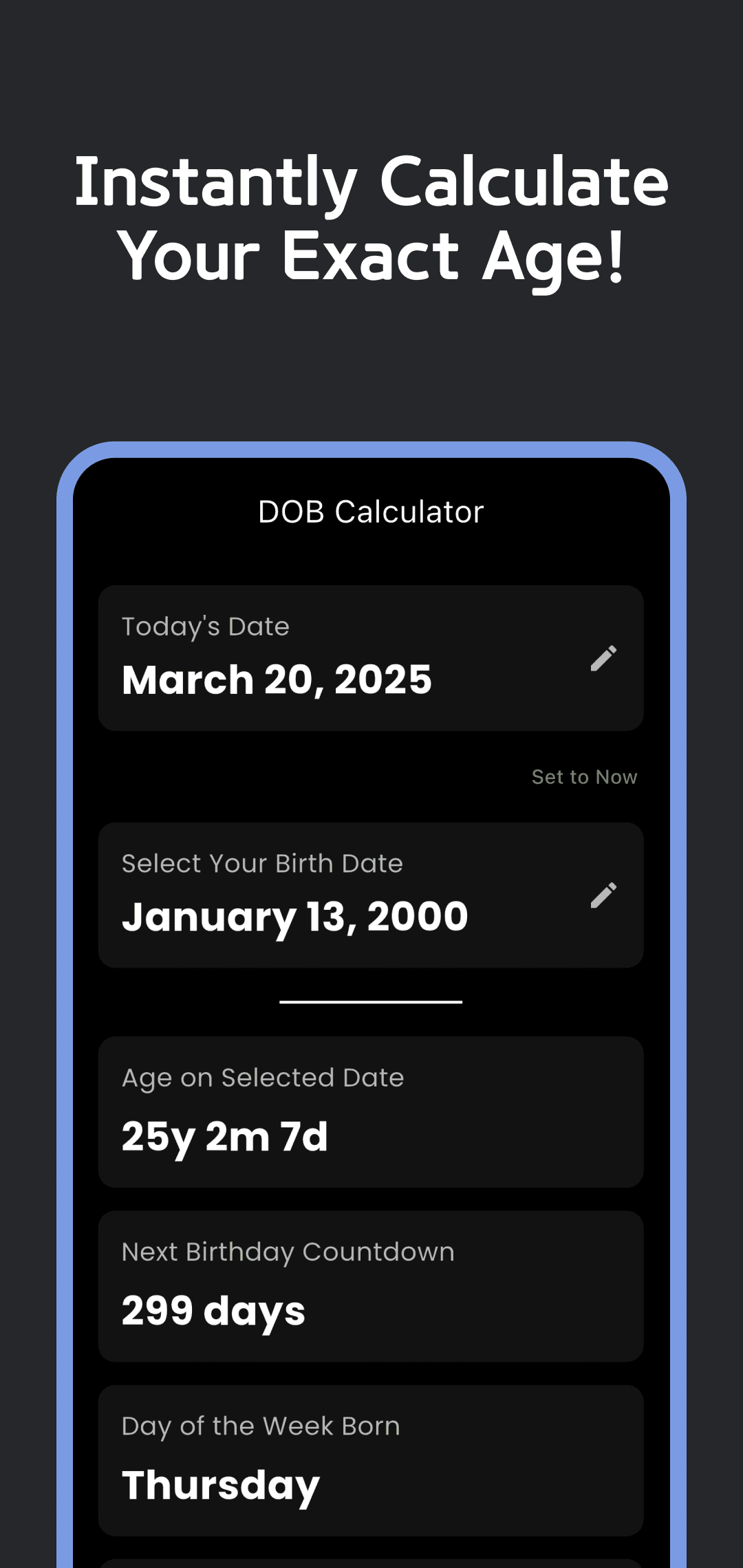
- In Calculator, check Today's Date. Tap its card to choose a reference date from January 1, 2000 through January 1, 2100.
- Use Set to Now when you want the current device date and time again. A manually chosen date is saved; reopening the app does not necessarily replace it with today.
- Read Age on Selected Date, Next Birthday Countdown, and Day of the Week Born together. Tap the birth-date card to correct the saved birth date.
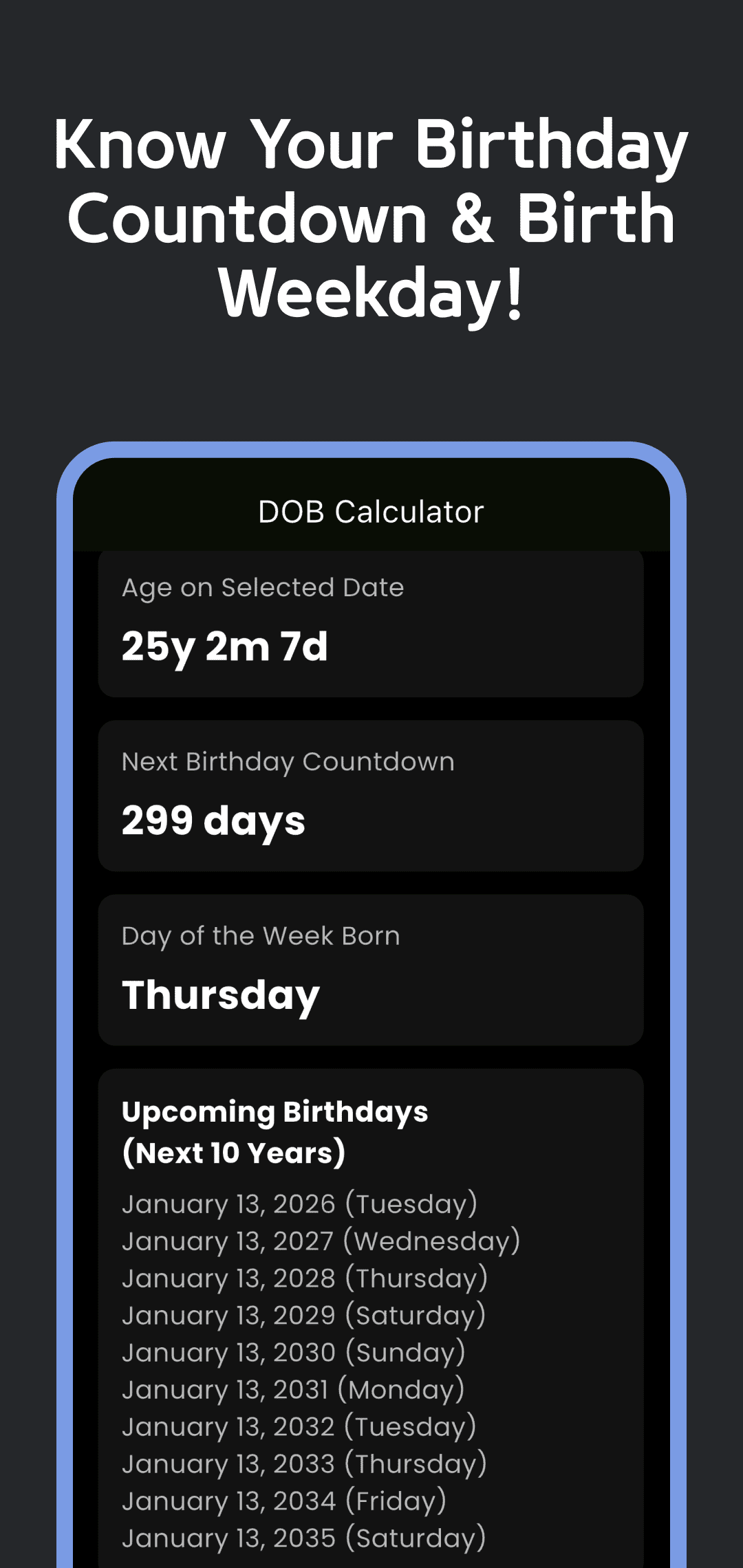
- Review Upcoming Birthdays (Next 10 Years), then open Friends to save another person's birthday or Memories to add a dated note. Return to Calculator to confirm the reference date after experimenting with past or future dates.
Understand which date each tab uses
Calculator uses the selected reference date for age, the next birthday and its ten-entry birthday list. Friends uses that same reference date for saved people's ages and countdowns. Memories uses it for the next annual occurrence of a note's month and day, even though the list labels this “Next birthday.”
Stats uses the actual device time, rather than Calculator's selected date. Changing the reference date to a future year therefore does not move Stats forward to that year. The app calculates these values when the screen builds; a continuously ticking timer or automatic midnight refresh is not promised.
| Display | Example or scope | What to check |
|---|---|---|
| Age on Selected Date | Born January 13, 2000; reference March 20, 2025 → 25y 2m 7d | The selected reference date, rather than an assumed current date |
| Next Birthday Countdown | The same example → January 13, 2026, 299 days away | The next occurrence strictly after the reference time |
| Birthday on the reference date | January 13, 2026 → next listed birthday January 13, 2027 | The current day's birthday is skipped |
| Stats | Actual device time, even with a different selected reference date | The date source differs from Calculator, Friends and Memories |
Countdowns use whole elapsed 24-hour days. From noon on January 12 to midnight on January 13 is less than a full day, so the number can be 0 although the calendar dates differ. The app's Set to Now includes the current time, while a date picked in the calendar starts at midnight. This follows Dart's whole-day duration calculation.
For a February 29 birth date, the checked version generates March 1 in non-leap years and February 29 in leap years. This is the app's behavior, rather than a choice of legal birthday convention. Month-end age arithmetic also has a known limitation: January 31, 2000 to March 1, 2026 can display 26y 1m -2d. Use a reference date on or after birth, and verify unusual date results separately before relying on them.
Read life statistics as assumptions
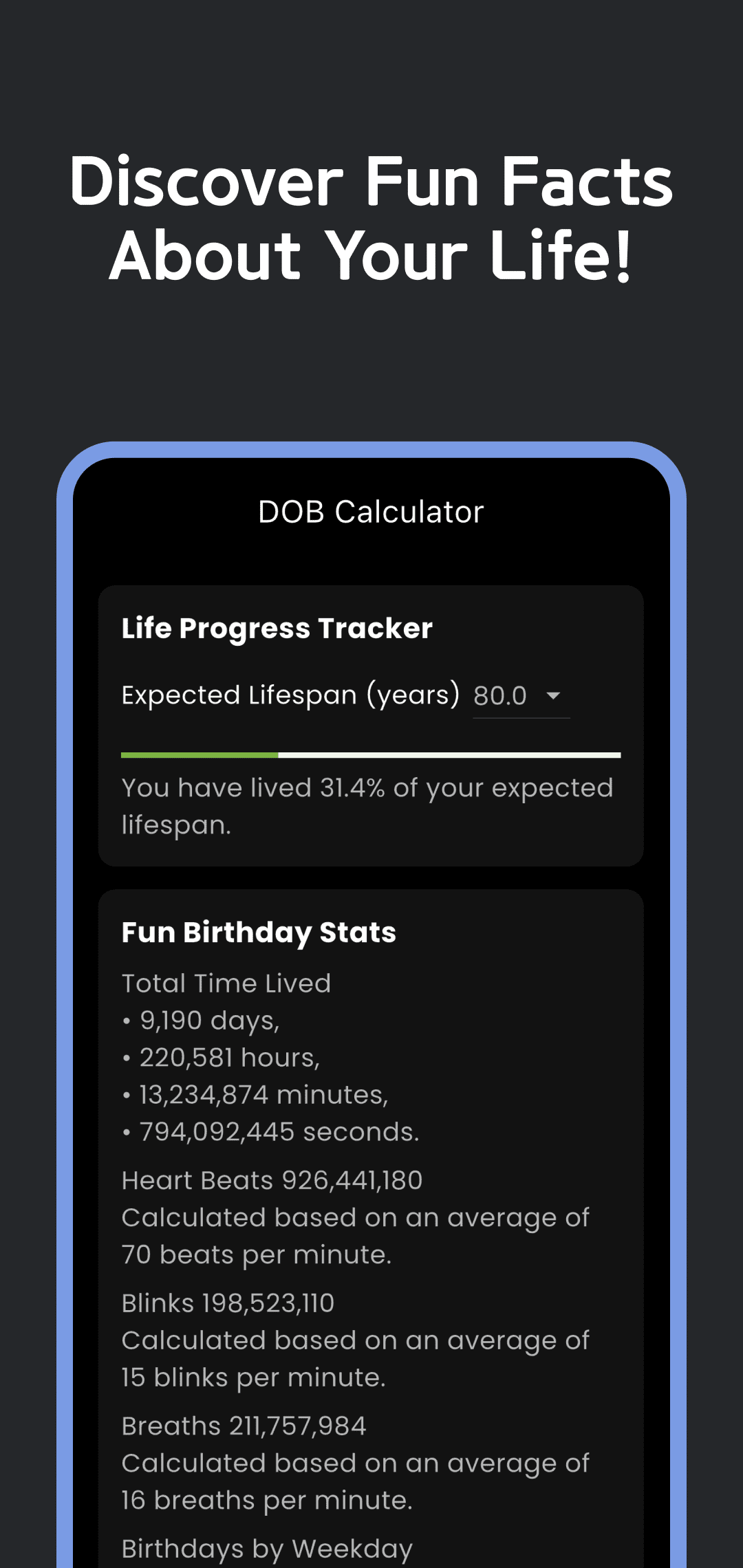
In Stats, elapsed days, hours, minutes and seconds are separate totals since the stored birth date. They are not the individual parts of one duration to add together. There is no birth-time input, so a date selected in the picker represents local midnight.
The heartbeat, blink and breath figures multiply elapsed whole minutes by fixed app constants: 70, 15 and 16 respectively. They are illustrative estimates, without a sensor measurement or a personal health assessment. For example, 60 elapsed minutes would produce 4,200 heartbeats, 900 blinks and 960 breaths under those assumptions.
Expected Lifespan (years) defaults to 80 and offers values from 60 to 120. Life progress compares the app's approximate age in years with that selected number and caps the bar at 100%. Changing the selection changes the illustration; it does not predict how long you will live. Birthday milestones use a fixed list: 18, 20, 30, 40, 50, 60, 70, 80, 90 and 100. The checked screen does not provide a separate 10,000th-day or 1,000th-week milestone workflow.
Save, check and remove birthday notes
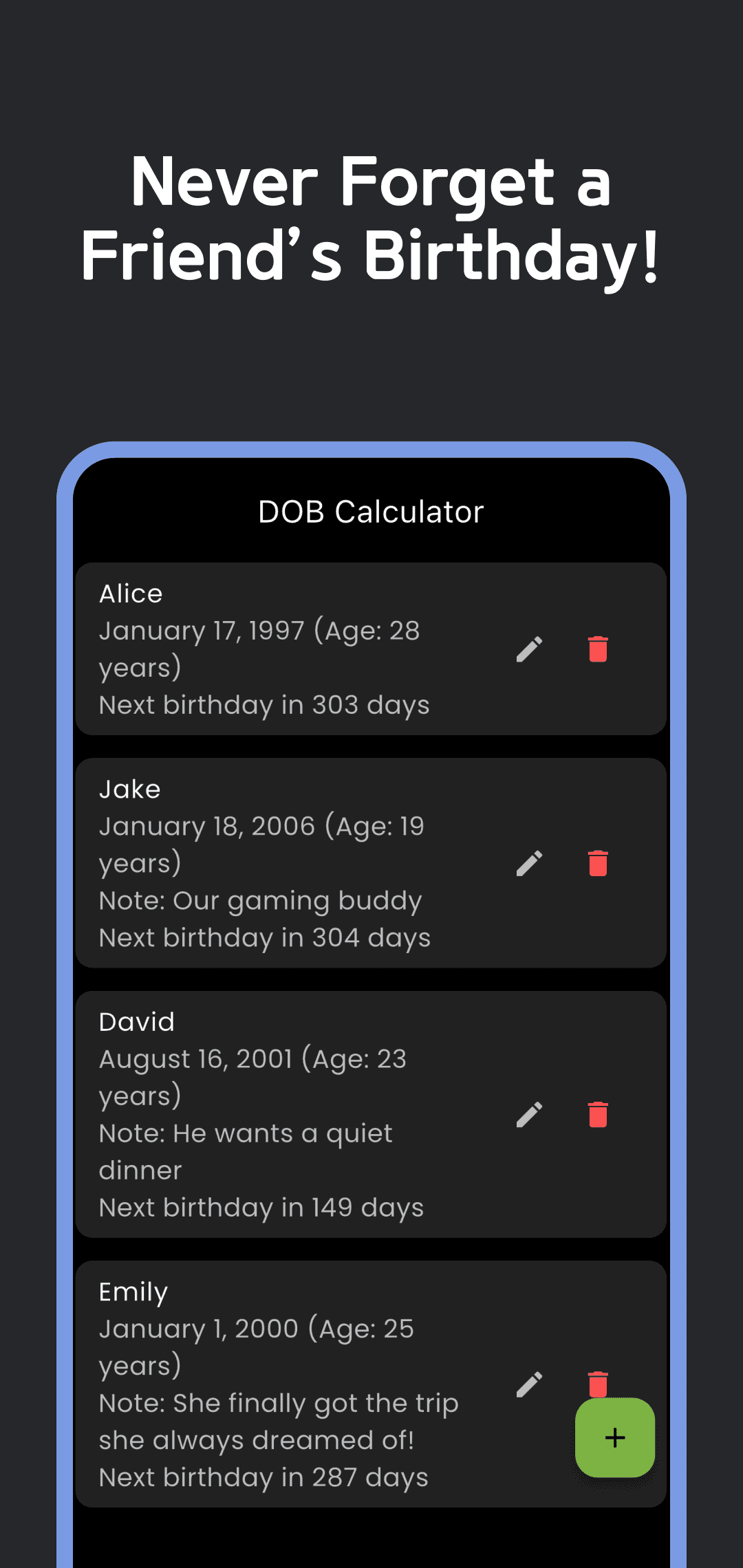
In Friends, use +, enter a name, select a birth date and optionally add a Gift/Note, then press Add. The pencil opens an existing entry for editing. Reopen the saved entry to confirm the date and note after a change. The trash button asks for confirmation before deleting it.
In Memories, use +, select a date and enter Memory/Note, then press Add. The checked picker accepts dates from 1900 through the current device date. Each entry shows an annual countdown based on its month and day; this is not a future event scheduler. Existing notes can be edited or deleted with confirmation.
These lists show countdowns while you view them. Birthday notification scheduling is not implemented in the source checked for this article, so do not rely on the app to send an alert when a birthday arrives. The store's reminder wording does not establish an available notification setting.
Local storage and support
Your birth date, reference date and lifespan selection use local preferences; Friends and Memories use a local SQLite database. The checked version has no account, cloud sync or accessible backup/export/import flow. Do not assume reinstalling the app or changing devices will restore these records.
The app also includes advertising and consent services, which use network features. Local birthday storage does not mean the whole app works entirely offline or that advertising data is never processed. See the Privacy Policy for the applicable data information.
This article was checked on October 10, 2026 against the 1.0.2 source and current store information. The four images are original March 2025 examples, rather than a current device walkthrough. Use this page's download links to install. If an age, date or saved note looks wrong, send the app version, birth/reference dates and reproduction steps through Contact.