
Dopamine Detox is an app for choosing digital habits you want to reduce and recording whether you followed your own rules today. Select categories such as short videos, social media, YouTube or gaming, then review check-ins in Calendar and Stats. It supports English and Korean without a separate account.
“Dopamine detox” is the app's habit-tracking name. It does not measure dopamine, verify a brain reset, diagnose addiction or demonstrate improved concentration. Harvard Health explains the problems with interpreting dopamine fasting as abstaining from dopamine or replenishing its stores. Read the app's days and percentages as a summary of your self-reported rules.
Choose a plan and check its mode
- Review the first-launch introduction and any advertising consent screen for your region.
- Give your plan a name and select a duration. The reviewed screen offers 7, 14, 21, 30, 75, 100 or 365 days, starting today.
- Select at least one habit and set its estimated hours per day. These are your estimates, not measured usage.
- Check Soft or Hard mode, then start the plan. Selecting 75 days selects Hard; changing to another duration does not automatically switch it back to Soft.
The reviewed creation screen has no weekday-only or custom-duration picker. These durations organize a diary; they are not verified periods for neurological recovery.
| Mode | What happens to your records |
|---|---|
| Soft | The app distinguishes fully clean, partially failed and fully failed days. Saving a failure retains earlier records. |
| Hard | Saving even one failed active habit deletes all daily records in the current plan and moves its start date to today. The failed entry is not retained. Estimated time and best streak are recalculated from the remaining records. |
The Hard reset notice appears after the deletion. Choose Soft if you want to retain failed days for comparison. A Hard reset applies to the current plan; it does not clear other plans already archived as completed.
Save today's check-in
In Home, review your active habits. Mark those whose rules you did not follow, then tap the save button. With no failed habits marked, use All Clean Today to save a fully clean day. Tapping a habit alone does not save the day's entry.
Saving the same date again in Home overwrites its entry. In Hard mode, a replacement containing any failure triggers the full reset above. The reviewed Home screen saves today. Calendar displays the status and details of past dates; an input or edit screen for a selected past date is not connected in the reviewed version.
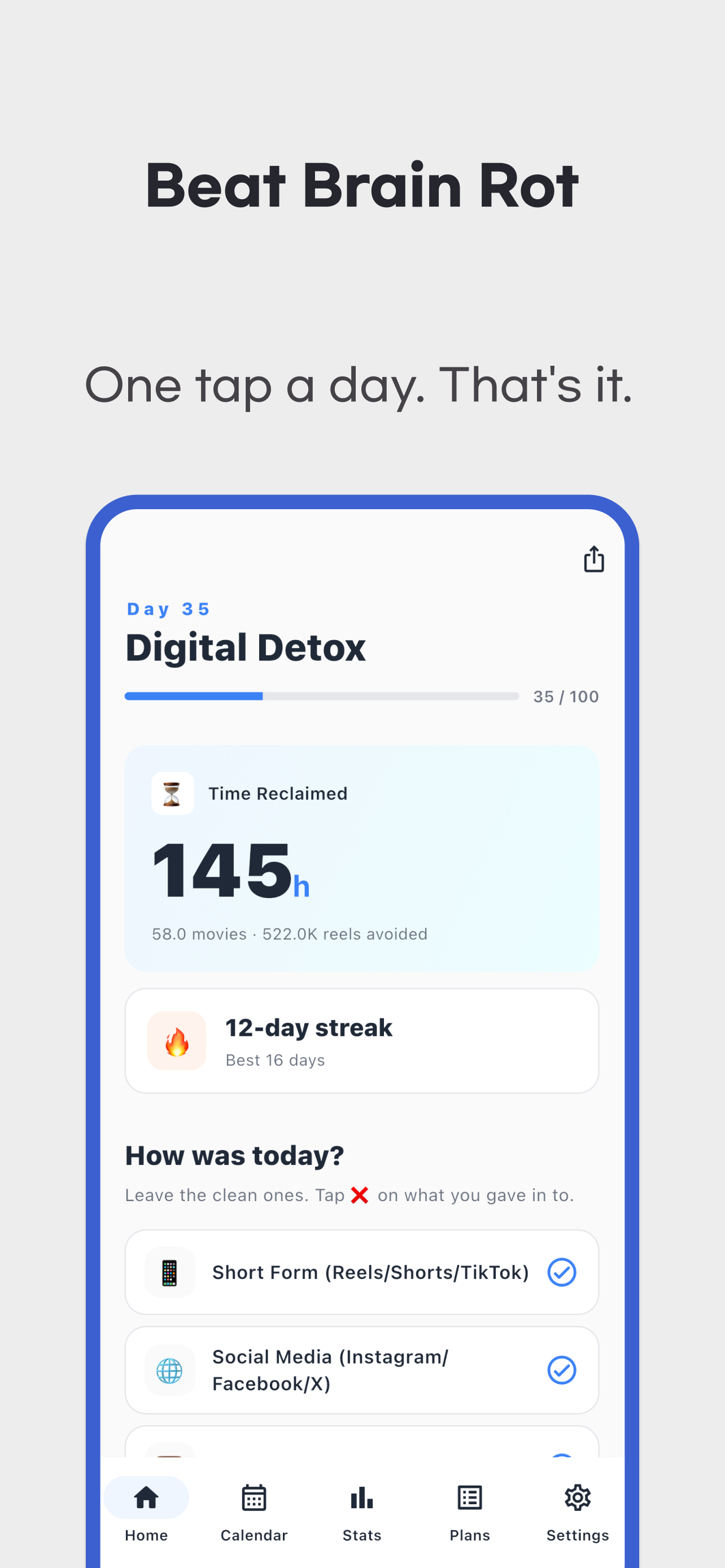
You can change active categories and daily estimates in the habit editor under Plans, including adding your own habit. These changes also affect calculations for earlier records.
Calendar dates and streaks mean different things
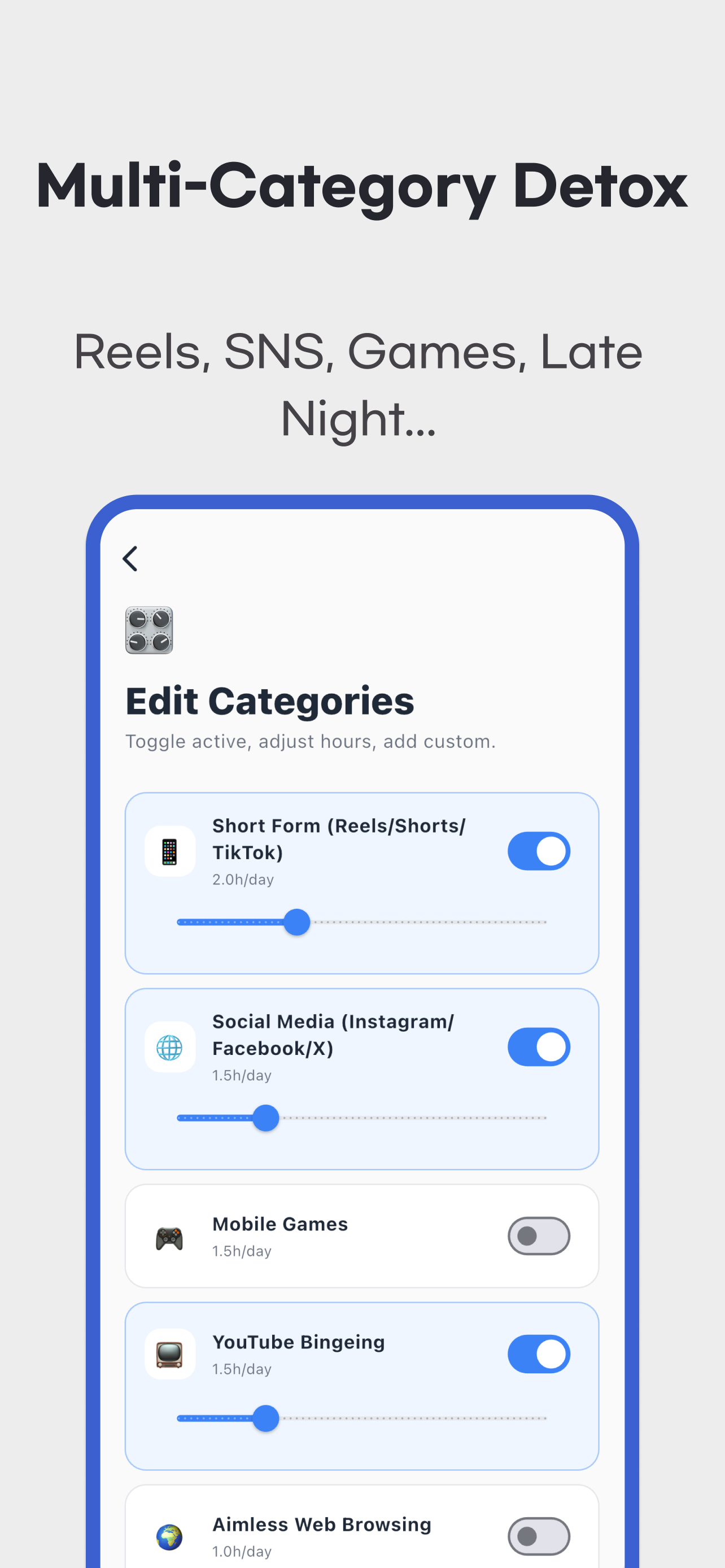
Open Calendar, choose a month and tap a date to view its saved check-in. A blank date means no record was saved, not that the app automatically observed a successful day.
Streaks count consecutive fully clean dates from the plan's start. Failures and past missing dates break the streak. If you have not logged today yet, yesterday's current streak is retained; earlier blank dates are not filled in as successes. After a Hard reset, deleted records cannot restore the best streak.
Read estimates and percentages with their denominators
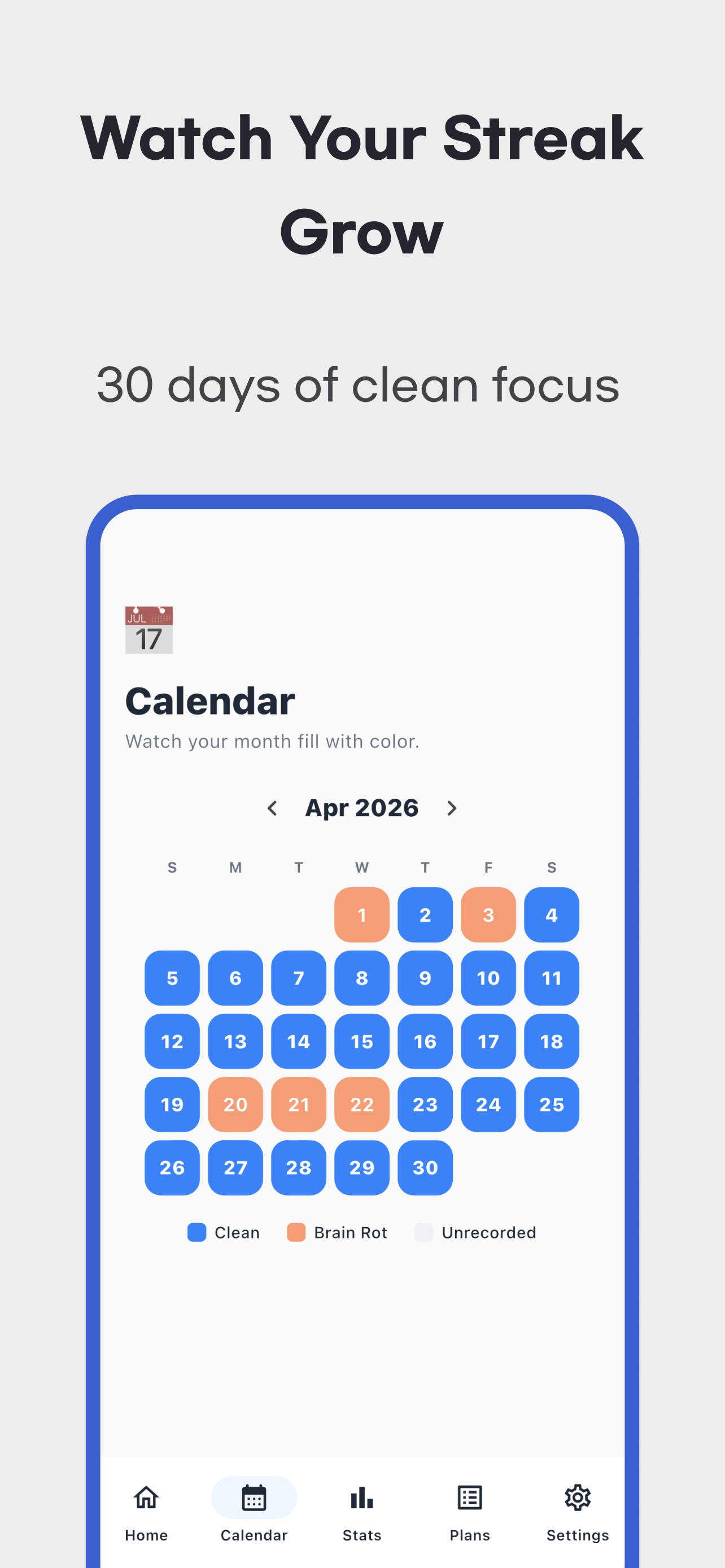
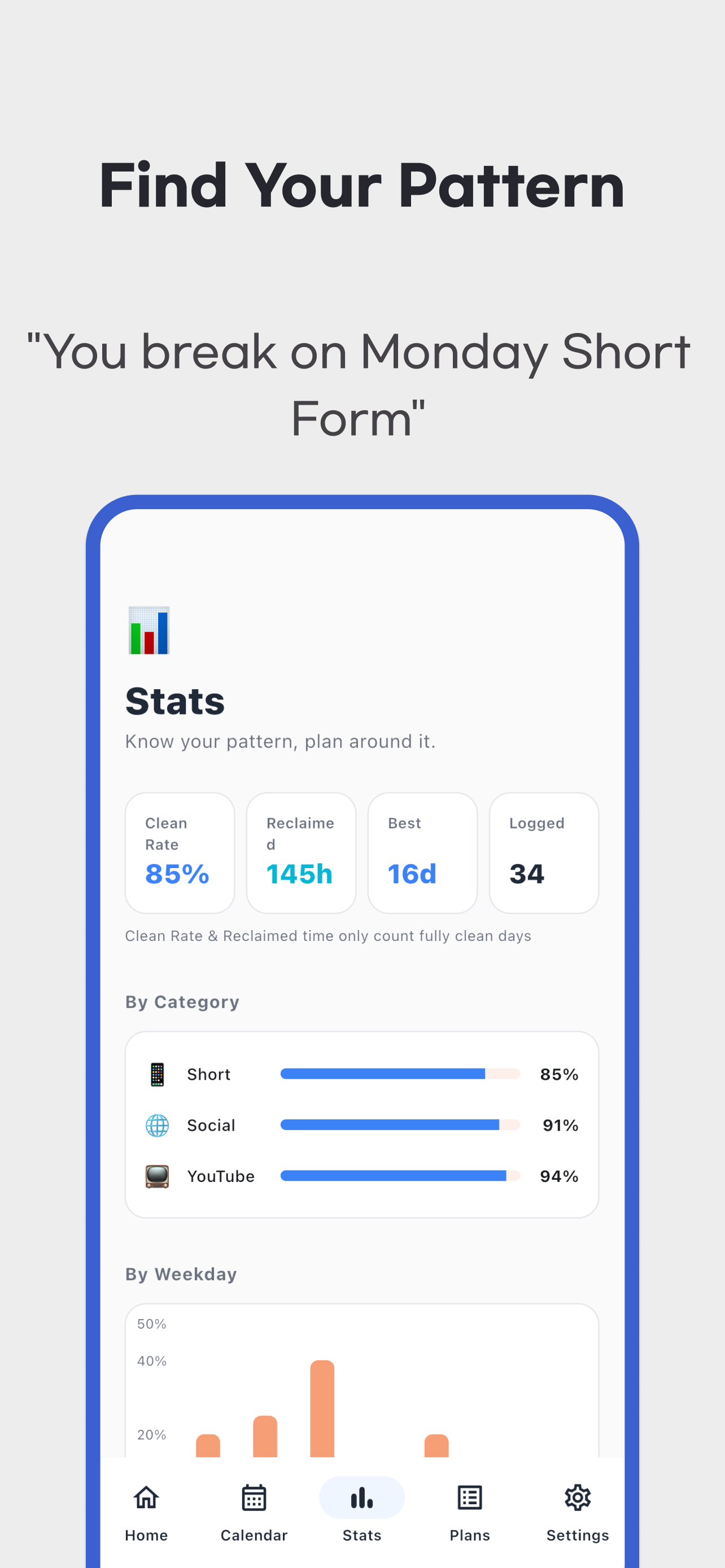
Time Reclaimed = fully clean recorded days × the sum of the current active habits' estimated daily hours. Partially successful days add no time, even if some habits were followed.
For example, set short videos to two hours and social media to one hour, then save three fully clean days: 3 × (2 + 1) = 9 hours. These nine hours are not verified by reading screen-time data or counting video views. Adding or disabling a category, or changing its hours, applies the current settings to earlier clean days and changes the total.
The reel conversion assumes one second per reel. Nine hours therefore becomes 32,400 reels; this is not a count of videos actually avoided. The movie conversion assumes 2.5 hours per movie, making the same estimate 3.6 movies. These are alternative units for the estimate.
The overall Clean Rate divides fully clean entries by recorded entries, excluding skipped-status entries. Three clean entries and one failed entry produce 75%. The denominator is neither every date in the plan nor days monitored by the phone. A small set of entries can produce a high rate.
Category success rates use failure flags in saved entries for the currently active habits. When you add a new category later, earlier entries have no failure flag for its new ID and may count as successful. That does not establish that you followed that rule on those earlier dates. Weekday failure statistics also summarize only your saved entries.
Finish a plan, share a card and keep your data
After the duration has elapsed, use Finish & start new in Home to archive the plan in the completed list. Progress days follow the calendar from the start date; a completion label does not certify success on every date. Reset current plan in Settings deletes the current plan, its habits and records after confirmation. Archiving and resetting are different actions.
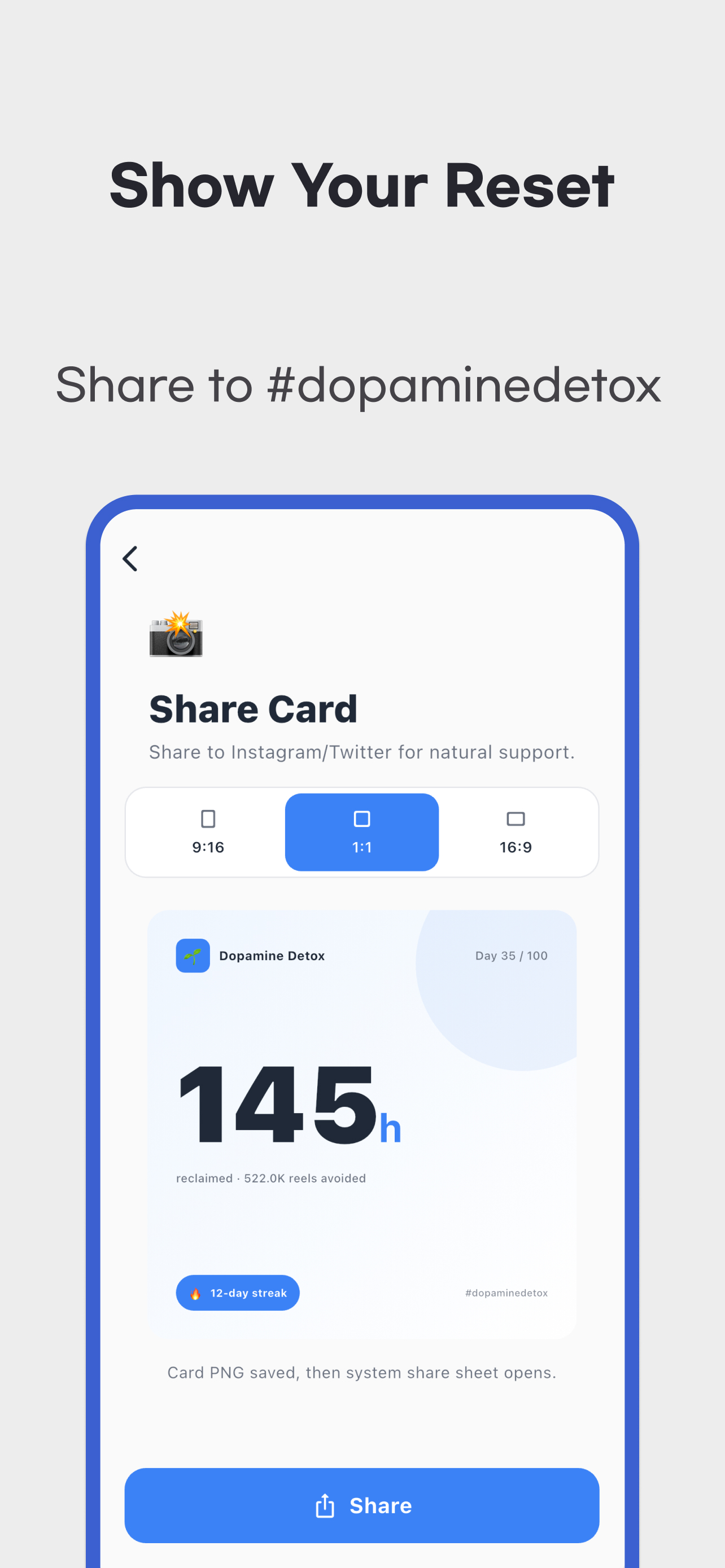
Home's share function offers 9:16, 1:1 and 16:9 cards. It creates a PNG summary and passes it to the system share sheet. Available destinations depend on your device. Do not assume automatic photo-library saving or automatic posting to a particular social network. A shared image cannot restore the full diary database.
Plans, habits and check-ins are stored on the device. The reviewed version has no app account, cloud sync, database backup and restore, or CSV/PDF export. Do not rely on automatic recovery after uninstalling or changing phones. Operating-system backups depend on separate device settings.
The app includes ads and advertising consent. Local diary storage does not establish that advertising SDKs collect or share no data. Read the privacy policy and the store's Data safety or App Privacy disclosures together. Reminders are optional and may require notification permission. Their default time is 21:00 and can be changed in Settings.
Use the official download area on this page to install. For check-in, reset or record problems, contact support with your app version, operating system and reproduction steps. Diary scores alone do not assess your health or establish whether you have an addiction.