

Expiry Date Tracker & Pantry, also shown as FreshKeep, keeps a local list of food names, dates and storage locations. Add an item, check the date badges, then record whether you used or discarded it. The app tracks dates you enter; it does not scan the product label or determine whether food is safe to eat.
Add an item and check its date
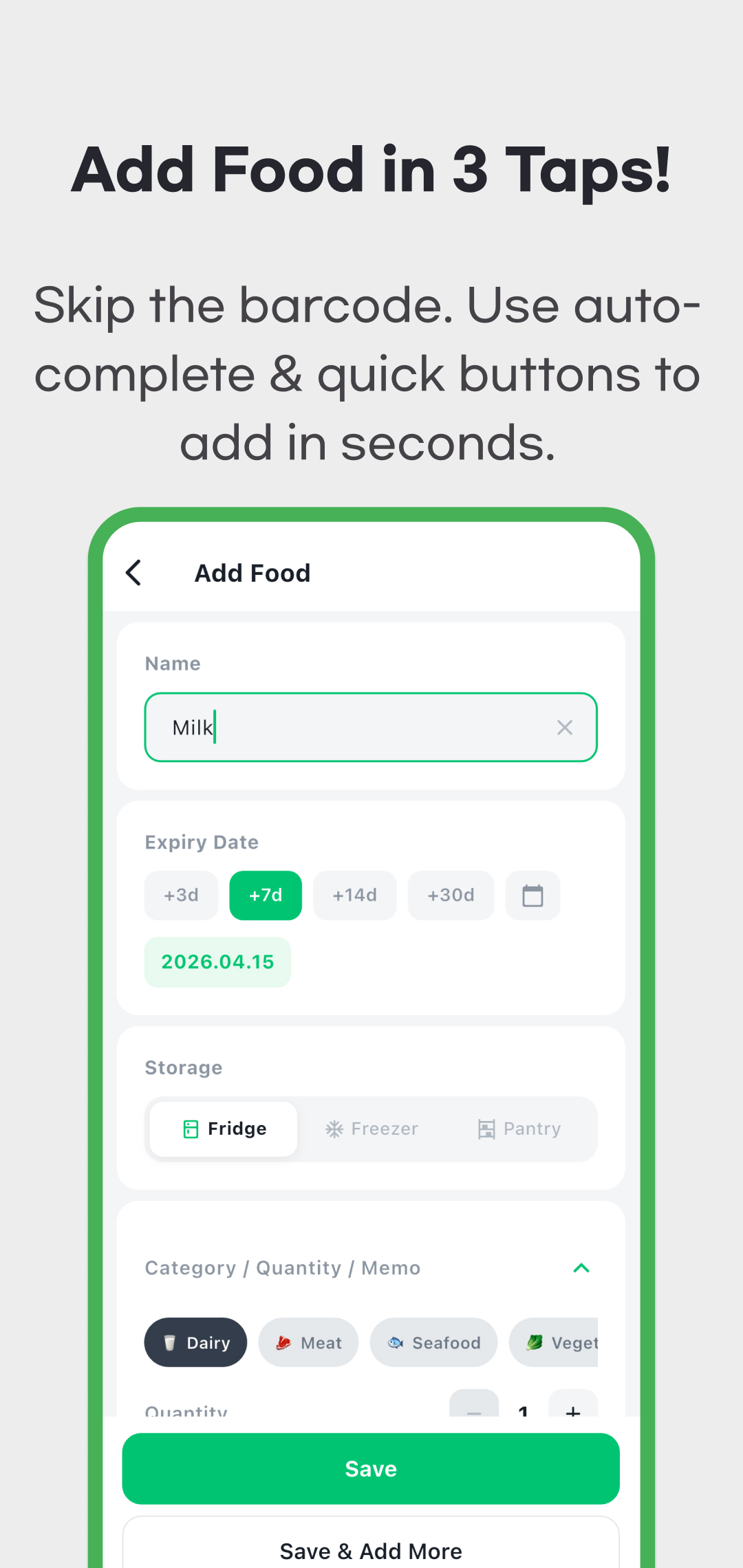
- Tap + on Home and enter the food name. You can type your own name or select an autocomplete suggestion.
- Check the date against the product's label and instructions. +3d, +7d, +14d and +30d select a date counted from today; they do not add days to the currently selected date. Use the calendar for a specific date.
- Choose Fridge, Freezer or Pantry. Review the category, quantity and optional memo if you need them.
- Tap Save to return to the list, or Save & Add More to clear the form for another item. A name and date are required before saving.
- Use the storage filter to find the item on Home. Tap it to edit its details, and check that the saved date and location match what you intended.
Selecting a dictionary suggestion such as Milk fills a default date seven days from today and Fridge storage. Previous entries can supply their last used date interval and location instead. These are entry shortcuts, not a reading of your package or a recommended safe storage period. Review them for every new product. Registration time depends on what you need to enter; the original promotional “3 taps” wording is not a measured guarantee.
Read date badges as a countdown
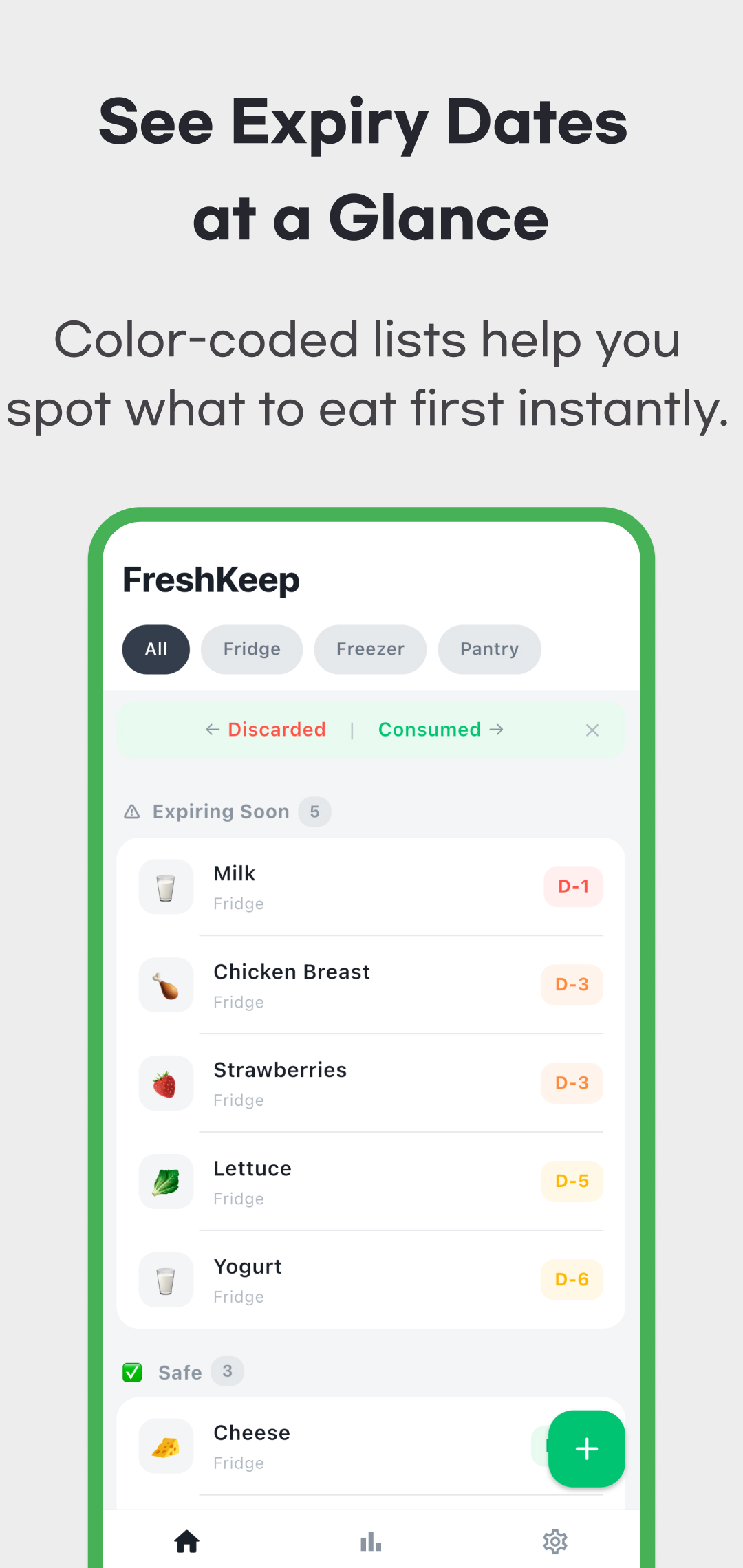
Home groups active items into approaching dates, dates more than a week away, and dates already passed. The approaching and later groups sort earliest date first; the expired group shows the most recently passed date first. Storage filters apply to this active list.
| Time remaining | Badge | Meaning in the app |
|---|---|---|
| 8 days or more | Green | More than a week until the entered date |
| 4–7 days | Yellow | Approaching the entered date |
| 2–3 days | Orange | Closer to the entered date |
| Today or tomorrow | Red | D-Day or D-1 |
| Date already passed | Gray | Expired date badge and crossed-out item name |
The original screen uses the section name Safe for dates more than a week away. That label and the colors describe the recorded countdown, not a food-safety assessment. Follow the product's date, storage and after-opening instructions. The UK government's date-label guidance explains why use-by and best-before labels have different meanings and why correct storage matters; local label guidance may differ. Moving a record or changing its date in this app does not extend the product's usable life.
Record use or disposal, then find past records
Swipe an item right for Consumed or left for Discarded. This changes the status of the whole entry and removes it from the active list. It does not automatically subtract one unit from the quantity. For a partly used item, edit the remaining quantity yourself before deciding when the whole entry is finished.
Version 1.1 adds Past Records, reached from the statistics screen. Records are grouped by the month of their status change, with filters for all, consumed and discarded. The discarded filter includes items cleared automatically; the Home storage filter does not restrict Past Records.
When the list loads, an active item at least three days past its entered date can be moved automatically to Past Records. It is marked as automatically cleared, not proof that you physically threw it away. Check Past Records if an old item seems to have disappeared.
Tap a past record to choose Move back to fridge, Add this food again, or permanent deletion. Moving it back restores the same entry, retaining its date and original storage location, and excludes it from repeated automatic cleanup. It does not make an expired date current. Adding the food again creates a separate entry: details are prefilled, but you must select a new date before saving. Permanently deleting a record removes it from the local list.
What the monthly “Savings Rate” measures
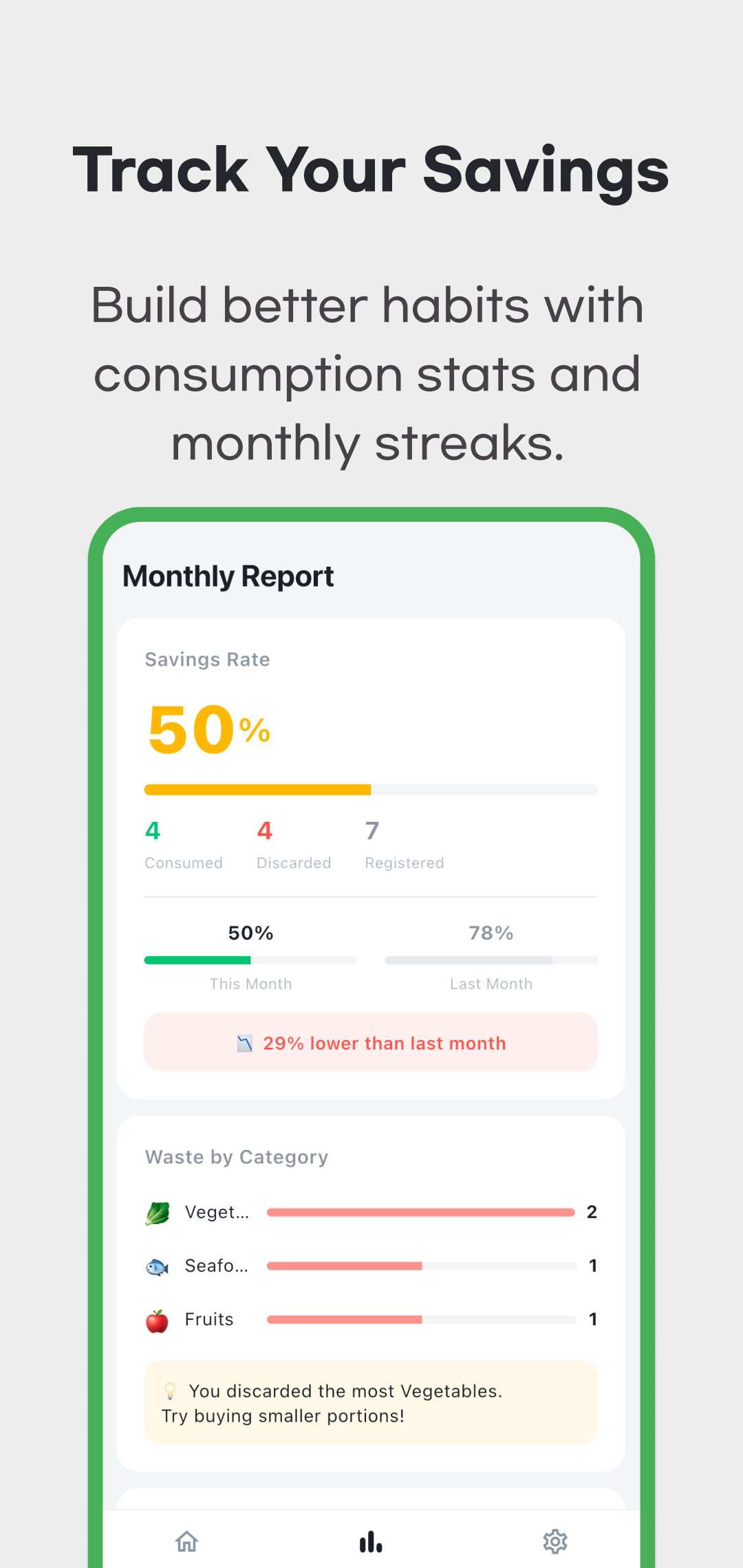
Savings Rate = consumed entries ÷ (consumed entries + discarded entries). For eight consumed and two discarded entries, it shows 80%. Automatically cleared entries count as discarded. Active items are outside this denominator, and an entry with quantity nine still counts as one entry. If none have been processed, the rate is zero.
This is not money saved, a percentage of your grocery spending, or a count of individual pieces. The app does not collect purchase prices. Registration counts use the creation month; consumed/discarded counts use the status-change month, including the month automatic cleanup runs. Category waste bars show discarded entry counts relative to the largest category, not category-specific waste percentages. The cumulative card uses the current month and five previous months, so it is not an unlimited lifetime total.
Set reminders and keep records available
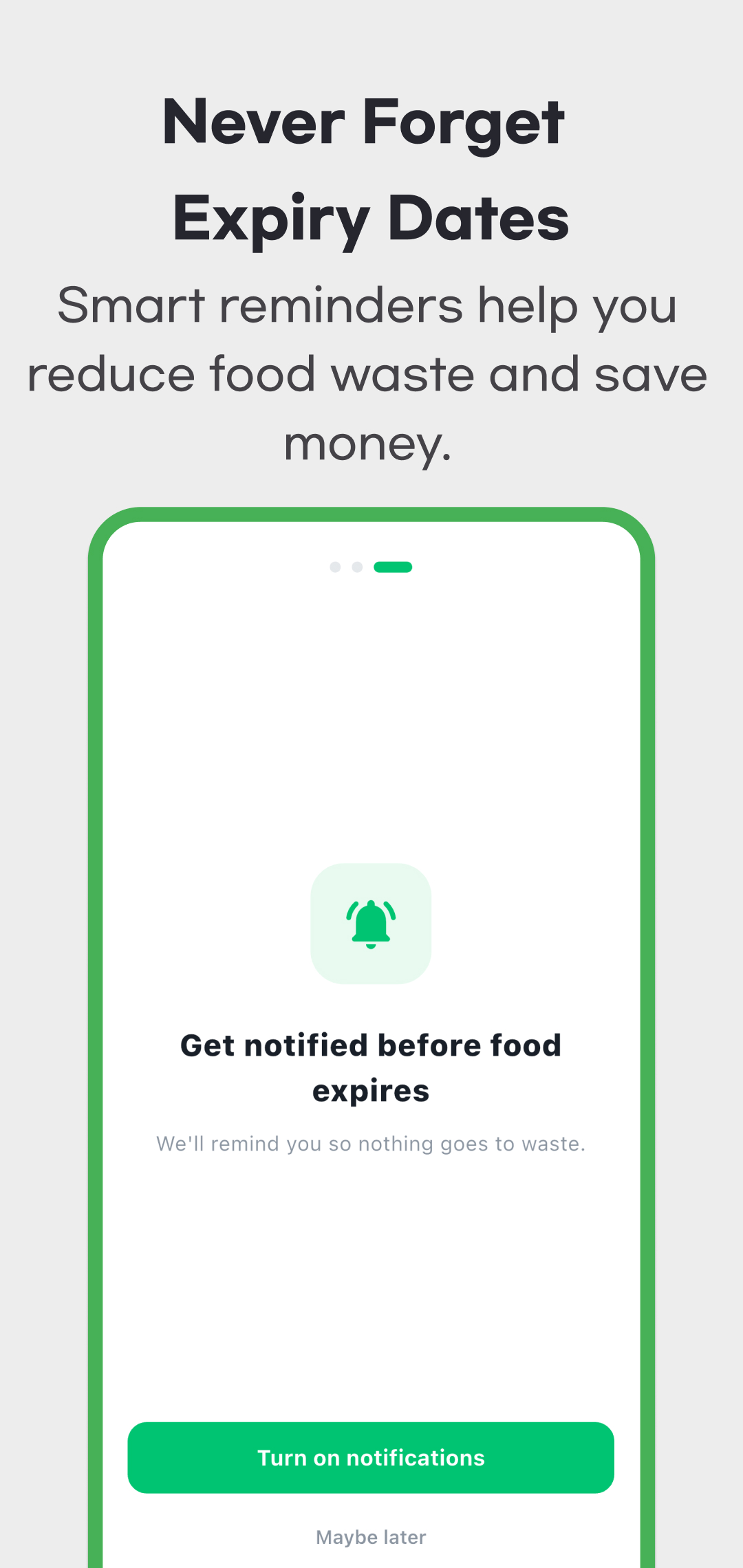
Notifications start off. In Settings, enable them, grant the device permission, choose reminder offsets from 7, 5, 3, 1 or 0 days, and set the time. The default time is 18:00. Matching items are combined into a local daily summary rather than separate server push messages for every food.
The checked version schedules up to the next seven days when it refreshes reminders, including at app startup and after relevant record or setting changes. Reopen the app regularly; do not assume reminders have been scheduled indefinitely. Device permissions, battery settings and operating-system behavior can affect delivery. Actual notification delivery on a physical device was not verified for this guide.
Inventory and history are stored locally without an account or household cloud synchronization. The checked version has no accessible backup/export/import flow. Do not assume reinstalling the app or changing devices will restore records. Advertisements and consent services can use the network, so local inventory storage does not mean the entire app is offline or that advertising services handle no data.
This guide was checked against version 1.1.0 source and current store information on October 10, 2026. Its four retained promotional images are from April 2026 and predate Past Records. Use the download links on this page to install the app. For a missing item or incorrect record, contact support with the app version and steps, and read the privacy policy for data and advertising details.