

FastTime records fasting sessions using start and end times you choose. It supports English and Korean without a separate account. Use Timer, History, Weight and Settings to save times and review your entries.
The app does not detect meals or measure blood glucose, fat burning or ketosis. “Goal achieved” means the configured time was reached, not that weight loss or improved health was verified. This page explains the app; it does not prescribe starting or extending a fast.
Select and save a plan
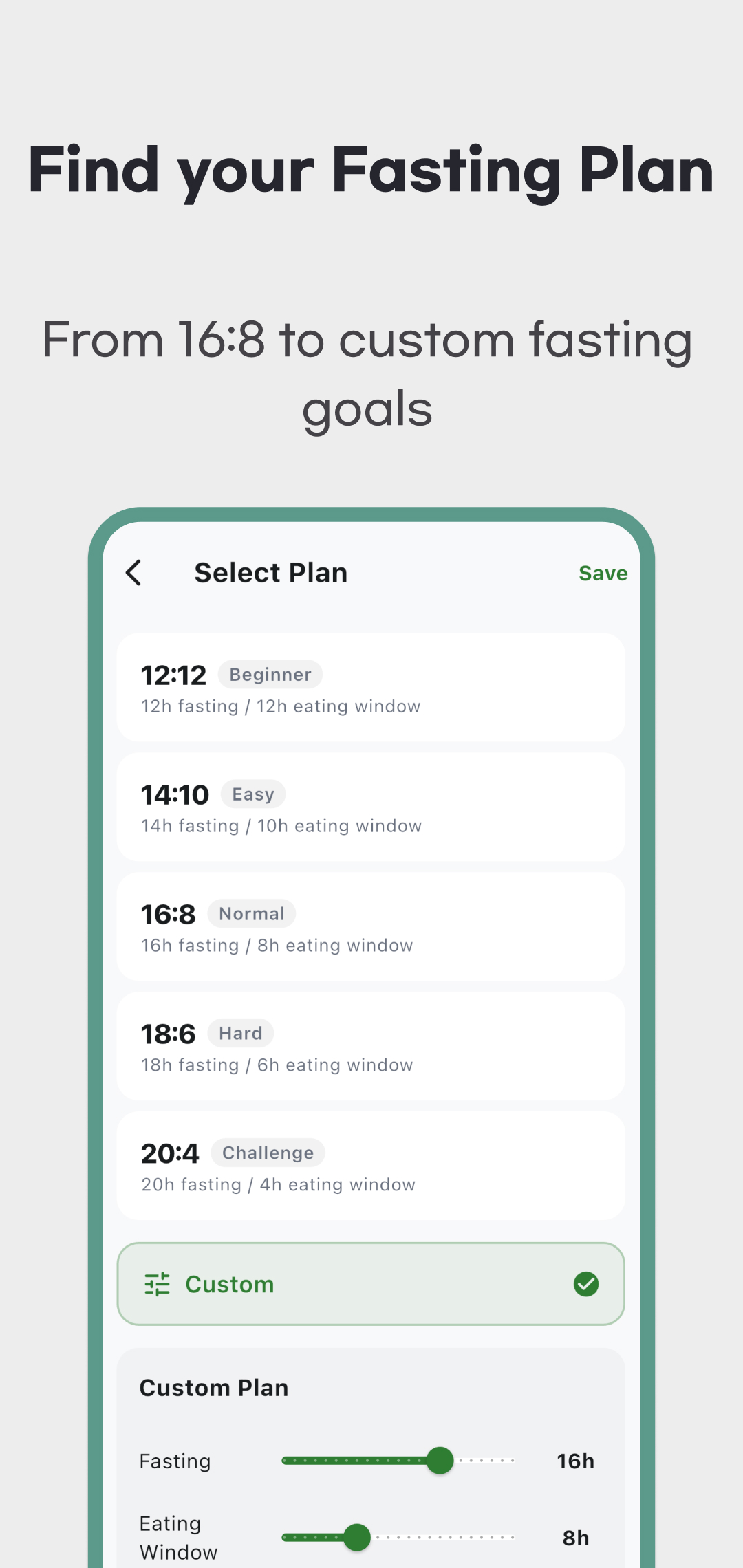
Review the first-launch introduction and any regional advertising consent screen. Open Settings → Fasting Plan, choose 12:12, 14:10, 16:8, 18:6 or 20:4, then tap Save. The first number is the fasting-time target; the second is the eating-window display setting. For example, 16:8 sets sixteen hours and eight hours. The app does not log meals or automatically start the next fast.
Custom uses sliders. Changing one duration adjusts the other to total 24 hours. The reviewed screen allows 1–23 hours on each side and has no 24-hour fasting preset. Choices and labels such as Beginner or Challenge do not assess medical suitability.
Start now or select a missed start time
- In Timer, tap Start Fasting.
- Choose Start Now, or use Choose Start Time for an earlier start and tap Confirm.
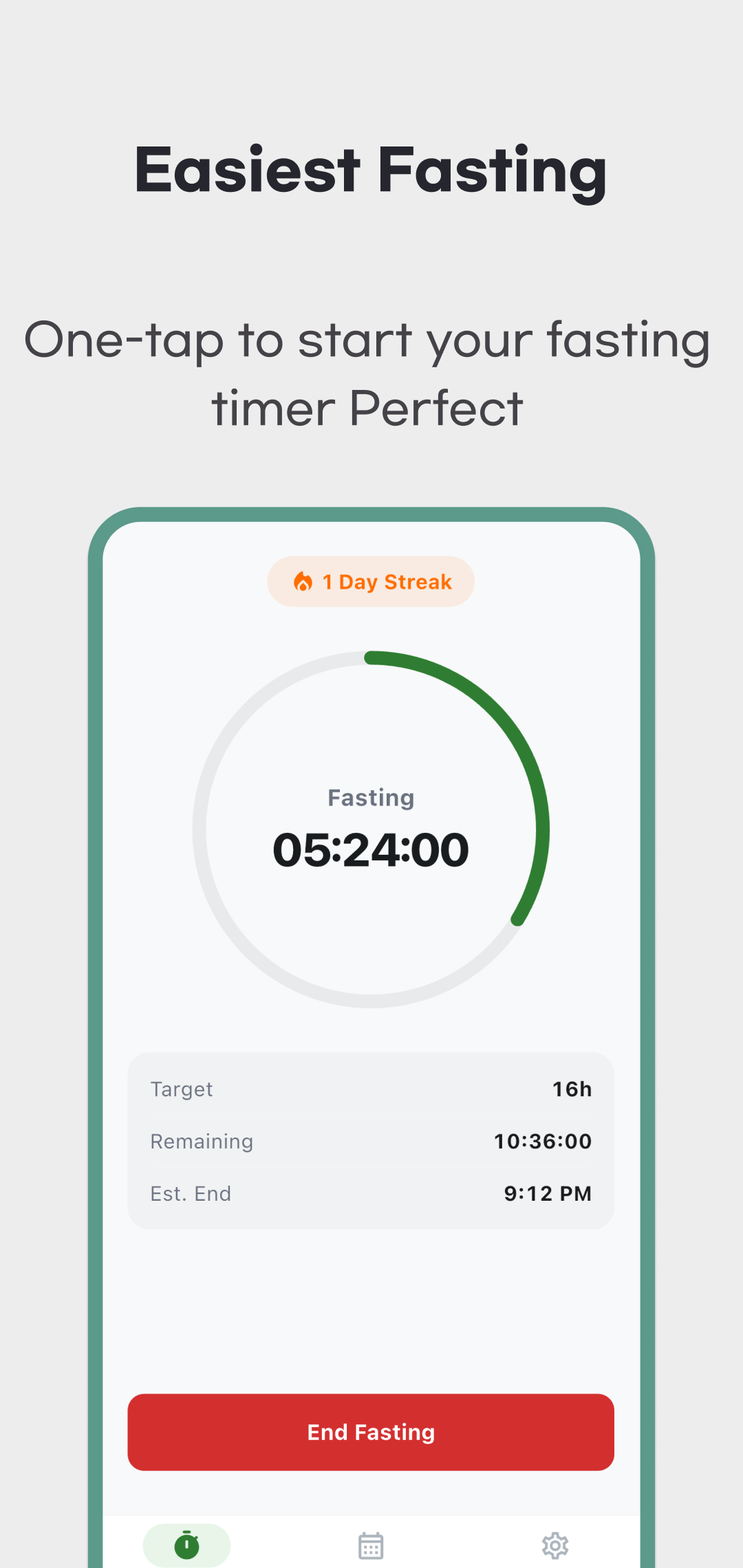
- The start picker covers the last 24 hours. Check elapsed time, remaining time and estimated end time.
Time is calculated from the saved start and the device clock. Reopening the app restores the ongoing start time and recalculates elapsed time. This does not require the timer screen to keep running in the background, and the app does not observe food intake.
Confirm the end time to save a session
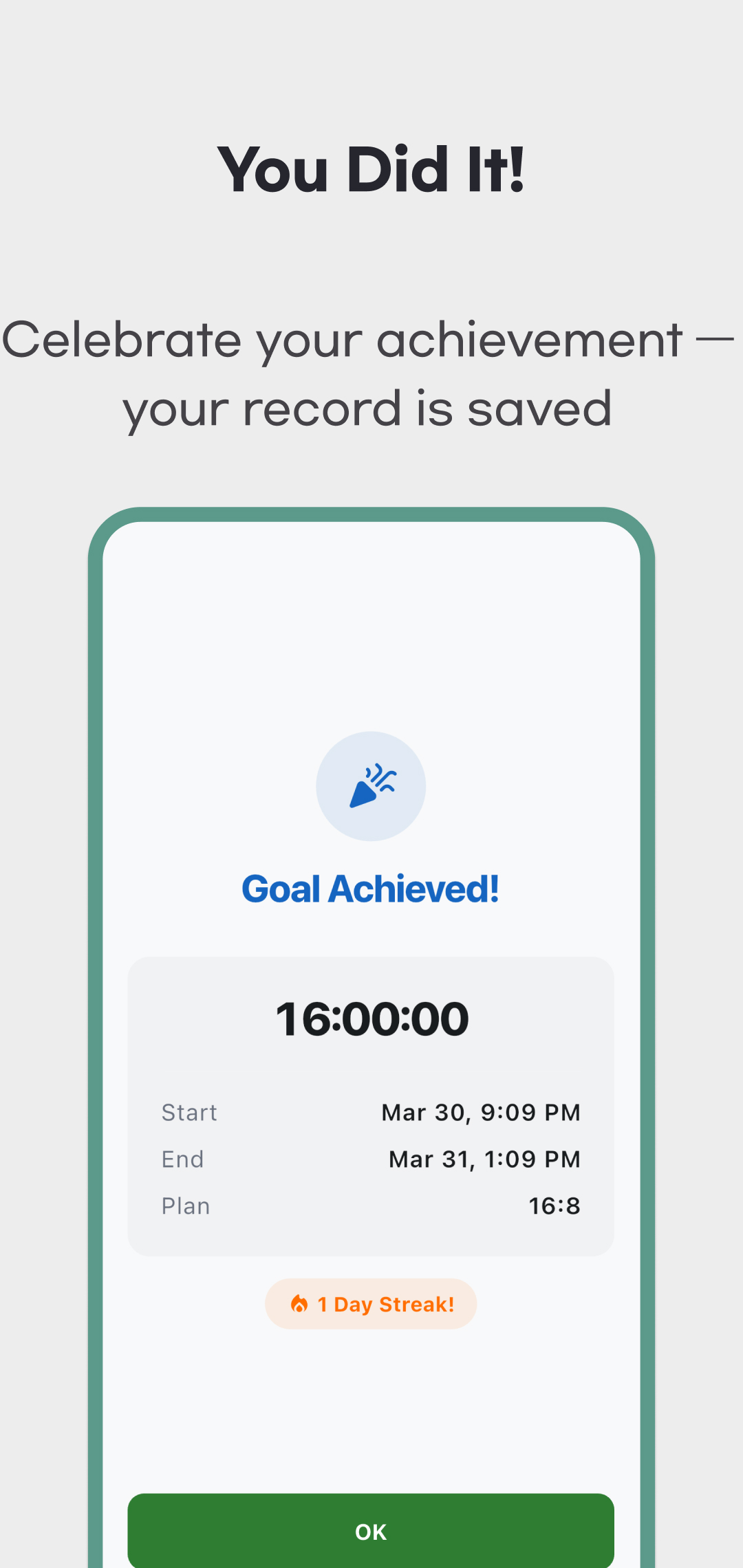
Tap End Fasting, then choose End Now or Choose End Time. End Now saves the current time. If you tapped late, choose when you actually stopped and tap Confirm. The picker covers the start through the present. Just after starting, a message explains that the end-time picker is not available yet. Cancelling leaves the timer running.
Reaching the target does not automatically end or save the session. Confirming the finish saves its start, end, plan and achievement flag, then opens the completion screen. You can also save a session that ended before the target.
For example, start a 16:8 session at 20:00, tap the next day at 15:00, but choose 11:00 as the actual finish. The saved interval is 15 hours and the goal is unmet, rather than the nineteen hours since starting. An achieved label is not an instruction to continue fasting longer.
Add, edit or delete a past session
Use + in History to check start and end dates and times, choose a plan and Save. The end must be after the start and cannot be in the future. Replace the prefilled times with your own.
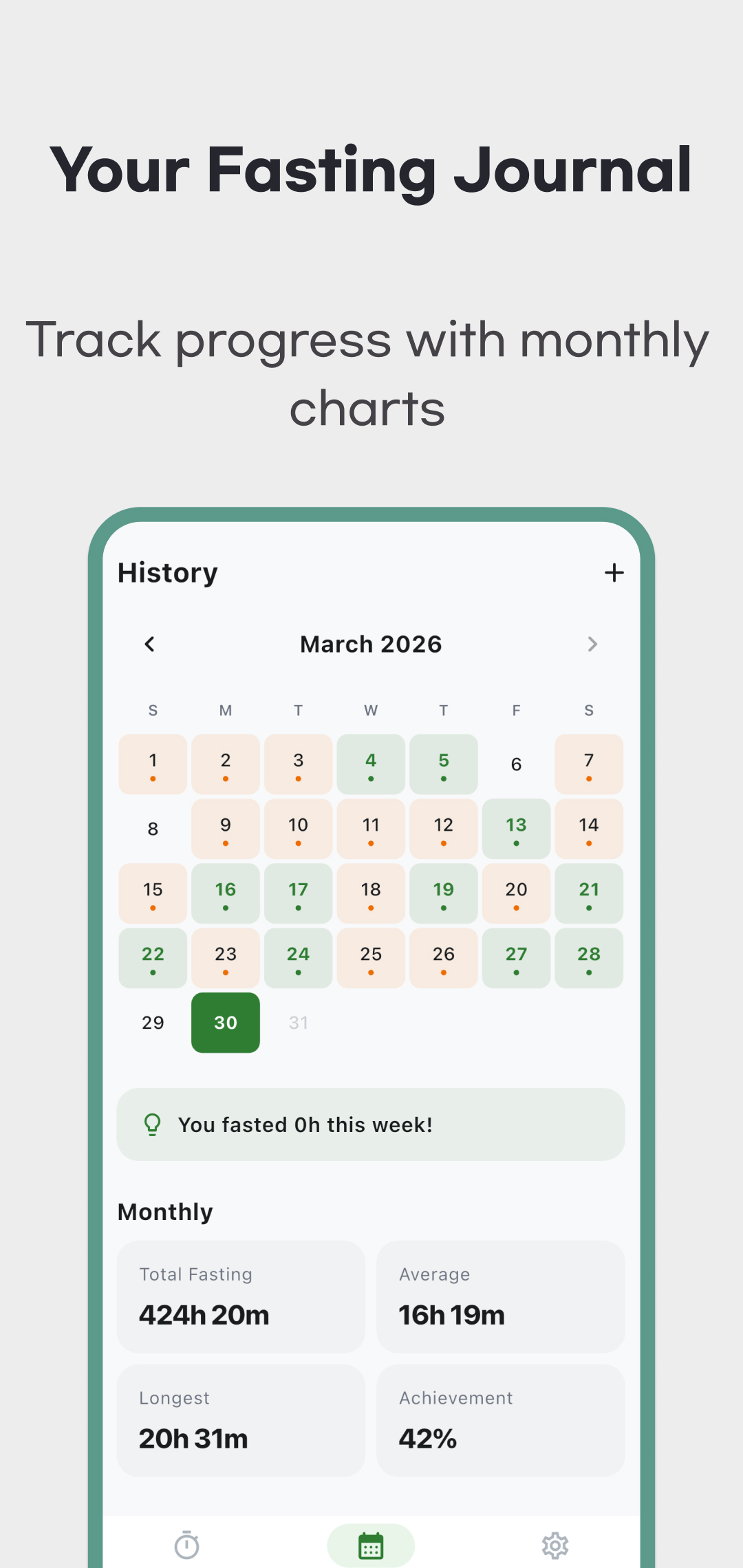
Tap a calendar date to see sessions that started on it. Use a record's ··· → Edit to change times or plan, or confirm its individual deletion. An overnight session belongs to its start date, with the entire interval kept together. Several sessions can be stored on one date; check for duplicate or overlapping entries.
The manual editor offers the five preset plans. When editing a custom-plan record, check the selected plan before saving: the reviewed version can replace its original ratio with the default 16:8.
Average and achievement use sessions as their denominator
| Display | Calculation |
|---|---|
| Total Fasting | The full intervals of saved sessions included in the summary. An ongoing timer is not included yet. |
| Average | Total interval divided by session count, not all calendar dates or days with a record. |
| Longest | The longest single included session. |
| Achievement | Sessions meeting their target divided by included sessions, rounded to a percentage. It is not a weight-loss success rate or health score. |
For example, three records of 12, 16 and 20 hours, each with a sixteen-hour target, give 48 hours total, 16 hours average, 20 hours longest and 67% achievement. Even if two started on the same date, the denominator is three sessions. A missing date does not establish zero fasting hours.
The monthly summary displays the selected month, but the reviewed code has a date-boundary issue that can include sessions starting during the previous month's last day. Do not establish an exact monthly total from that calendar alone. Check records around the boundary and contact support about discrepancies. The weekly chart covers Sunday–Saturday of the current week, even when a past month is selected.
Streaks count successful session start dates once per day. Without a successful date today, the app checks consecutive dates from yesterday. Badges reflect diary thresholds, not verified health effects.
Weight, reminders and data storage
In Weight, enter a date and value in kg. Saving that date again replaces its value. Tap an existing entry to edit it or use its trash icon to delete it. Weight is entered directly, not estimated from fasting duration, and the app does not determine why it changed.
In Settings, enable target, one-hour-before-target or daily reminders as needed. They default to off and may require notification permission. Check target reminder settings before starting a session. The daily reminder defaults to 20:00 and can be changed. Notifications do not finish the timer or save a session. Permissions, battery saving and operating-system scheduling can delay or prevent delivery; exact arrival is not guaranteed. Reopen the app to check time and records.
Diary and weight entries stay in device storage. The reviewed version has no app account, cloud sync, CSV/PDF export or app-provided data backup and restore. Do not rely on automatic recovery after uninstalling or changing phones; operating-system backup depends on separate settings. Reset all data clears stored sessions, weights, badges and active timer while retaining settings. If old weights remain visible immediately after reset, reopen the app to refresh the display.
The app includes ads. An interstitial can appear after changing a plan or saving a manual entry. Local diary storage does not establish that advertising SDKs collect or share no data. Read the privacy policy and store disclosures together. Use this page's official download area to install, or contact support with your app version, operating system and reproduction steps for session, statistics or reminder problems.
A plan label does not decide whether fasting suits you
Johns Hopkins Medicine advises discussing fasting with a clinician first. It advises against intermittent fasting for under-18s, people who are pregnant or breastfeeding, people with insulin-treated type 1 diabetes, and those with an eating-disorder history. Longer fasting is not necessarily better. Seek clinical advice about troublesome symptoms instead of prioritising a timer target. The app does not assess suitability or recommend treatment or medication changes.