

Poop Tracker lets you record a bowel movement's time and shape, then review saved entries in a calendar and statistics. It supports English and Korean without a separate account. Choose a shape and then tap Save to create an entry.
This guide explains the app's recording workflow. The app does not diagnose constipation, diarrhoea or IBS, or determine whether a food or medicine caused a symptom.
Save your first entry
- On first launch, review the introduction and any advertising consent screen shown for your region.
- In Log, choose the shape closest to what you observed. The seven built-in choices follow the Bristol Stool Scale.
- Check Time. If you are entering a past event, change the date and time to when it happened.
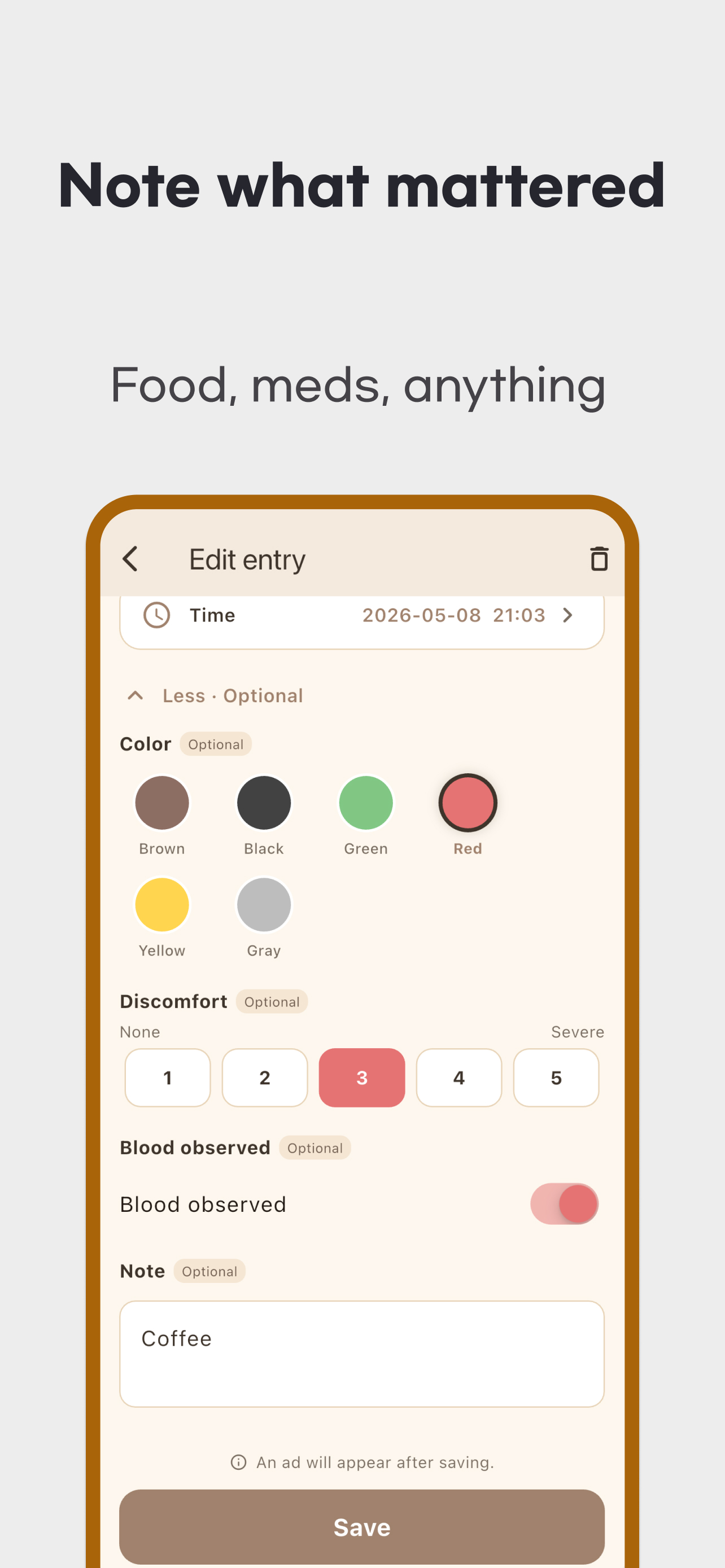
- Expand the optional fields if you want to add color, discomfort, blood observed or a note.
- Tap Save. The app moves to Calendar after saving; check the entry on the relevant date.
Save is disabled until you choose a shape. Save each bowel movement separately if there are several in one day. A note is optional.
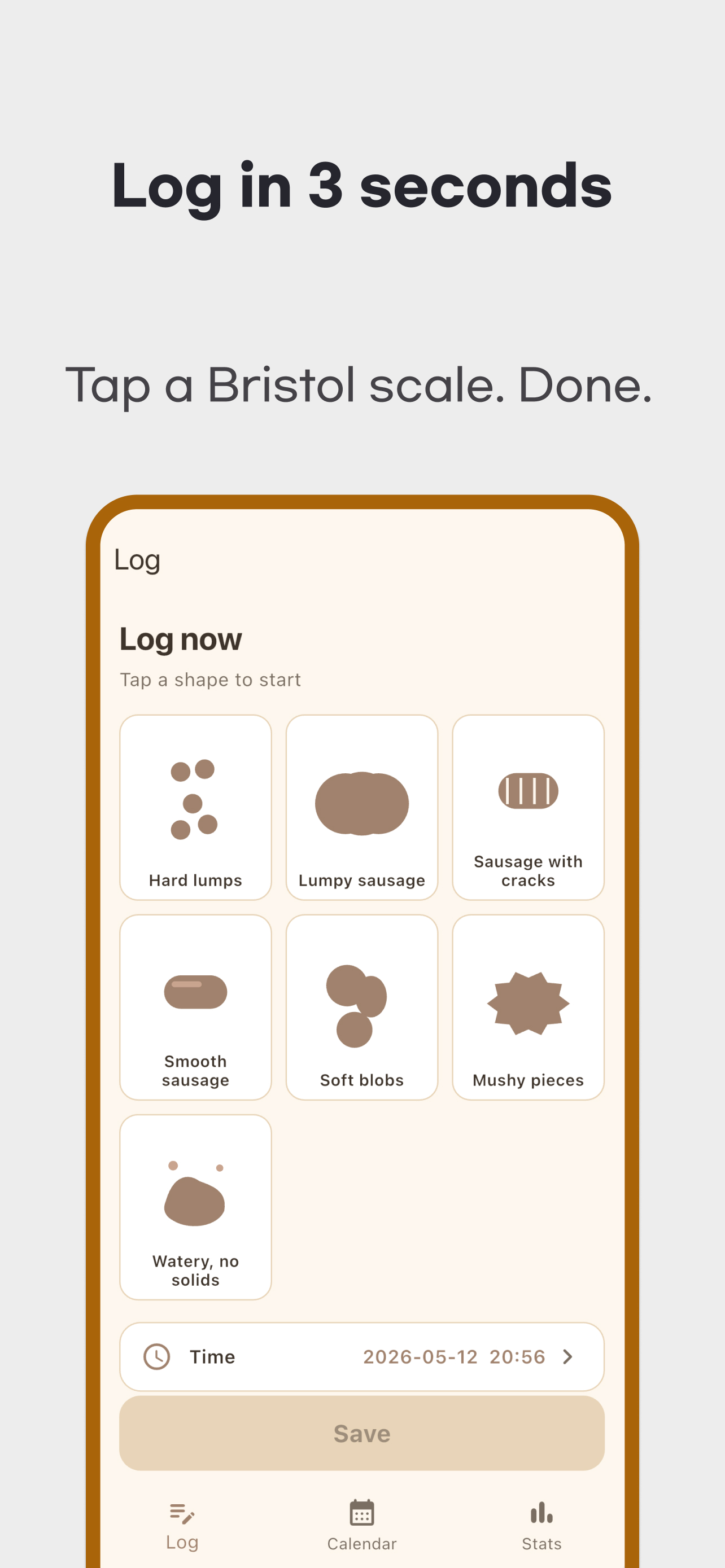
The Bristol Stool Chart describes stool form. This NHS hospital guide explains its use as information for a healthcare practitioner. Selecting a shape is not an app-generated health score or diagnosis.
What the optional fields mean
| Field | How to use and read it |
|---|---|
| Color | Choose one of six built-in colors or your own custom color. Color alone does not establish a cause. |
| Discomfort | Select your own rating from 1–5. Entries without a rating are excluded from average discomfort. |
| Blood observed | Turn on the switch when you observe blood. An off switch or missing observation is not a medical test confirming no bleeding. |
| Note | Write observations about meals, medicines or routine changes. The app does not analyse a food list or identify trigger foods. |
Edit or delete an entry in Calendar
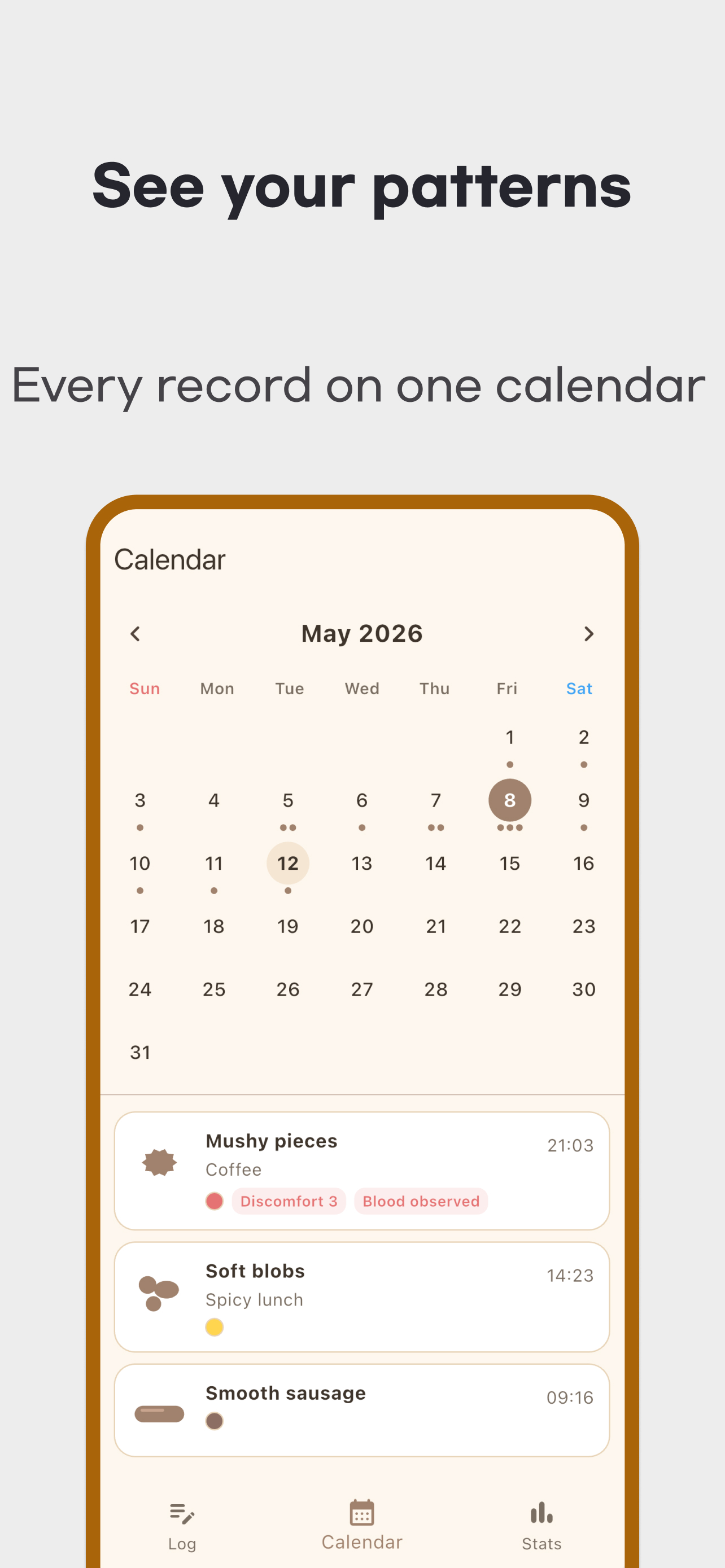
Open Calendar, move between months and tap a date to see its saved entries. An empty date means no entry was saved. It does not confirm that no bowel movement happened, and the app does not detect events automatically.
Tap an entry card to edit its shape, time or optional fields, then save again. If you change its date, look for it on the new date. To delete a single entry, tap the trash icon in its edit screen and confirm. Reset all data in Settings deletes all diary entries, so check the scope before confirming.
To add your own shape labels or colors, open Stats → the settings icon → Custom Shapes & Colors. Built-in Bristol shapes and colors remain fixed. Removing a custom option hides it from new-entry selection and places it in the removed-options list, where you can restore it. Previous entries retain the option and its label. A custom shape is a personal label, not an additional Bristol type or a validated clinical category.
Check the statistics period and denominator
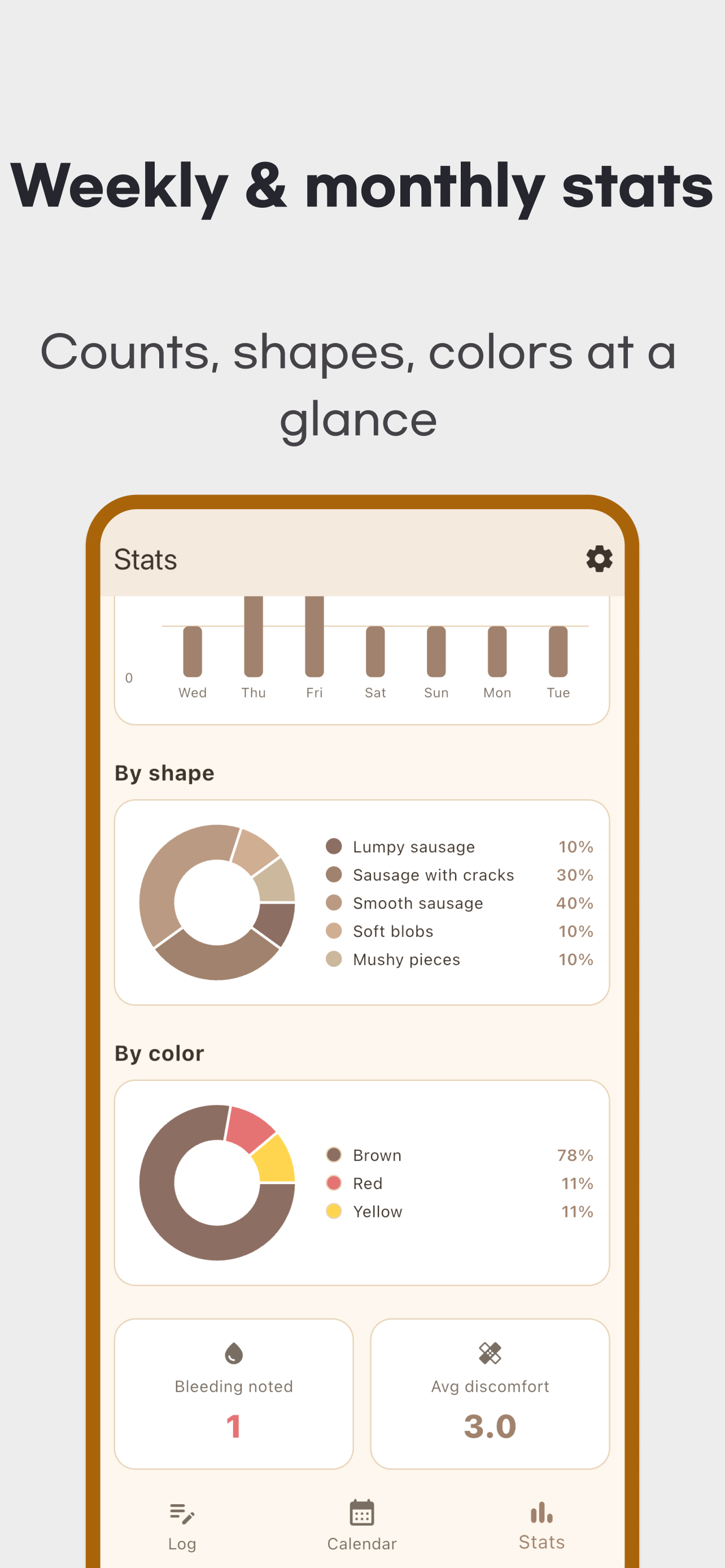
Week covers the latest seven days through today. Month covers the selected calendar month. 3 months covers that month and the previous two. Custom includes both selected endpoints. Use the arrows to review earlier periods.
Total counts are saved entries in that period. Average per day is entries ÷ days in the period, including days without entries. For example, six entries saved across three days of a seven-day period produce 6 ÷ 7, displayed as 0.9. Missing entries do not confirm zero bowel movements. A monthly denominator includes dates that have not happened yet, so an early-month average and a completed month are not directly comparable.
Shape distribution counts recorded shapes. Color distribution uses entries with a recorded color; average discomfort uses entries with a discomfort rating. Bleeding noted counts entries saved with the blood switch on. It is not automatic detection or a test result. These statistics do not all use the same denominator.
Local storage, privacy and support
Diary entries are stored in a local database; custom options use device preferences. The app has no account login or its own cloud sync. The reviewed version has no CSV/PDF export or app-provided backup and restore for moving entries to another device. Do not rely on automatic recovery after uninstalling or changing phones. Operating-system backup depends on separate device settings.
The app includes advertising. Calendar and Stats can show ads, and an interstitial can appear after saving an edited entry. Local diary storage does not guarantee that advertising SDKs collect or share no data. Check the privacy policy together with the store's Data safety or App Privacy information.
Use the official download area on this page for installation. For recording or editing problems, contact support with your app version, operating system and steps to reproduce the issue. You do not need to send your full private diary.
Seek care before building a longer diary
The app does not replace medical care. NIDDK advises prompt medical assessment for constipation accompanied by symptoms such as blood in the stool, constant abdominal pain or vomiting.
NHS guidance on rectal bleeding calls for urgent care for black or dark-red stools or bloody diarrhoea, and emergency care for bleeding that does not stop or involves a large amount of blood. Use local medical or emergency services for these symptoms; do not wait to accumulate statistics. Consult a healthcare professional about persistent changes or concerns, and use your entries to describe what you observed and when.