

Daily Mark records whether you checked a habit today and shows its calendar history and streaks. You can name a habit “Read for 10 minutes,” but the recorded value is a daily check, rather than elapsed time, quantity or the number of repetitions.
Add a habit and check today
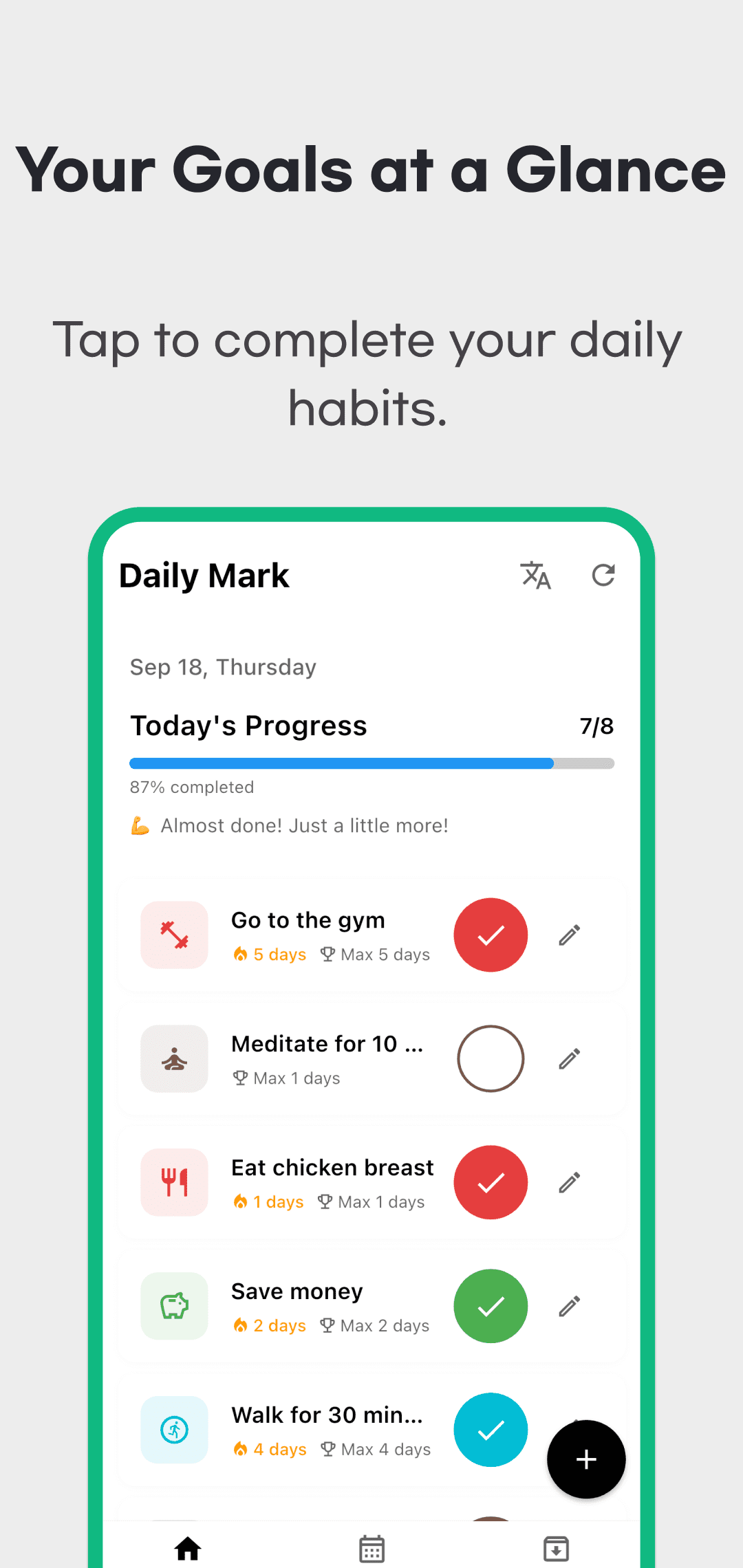
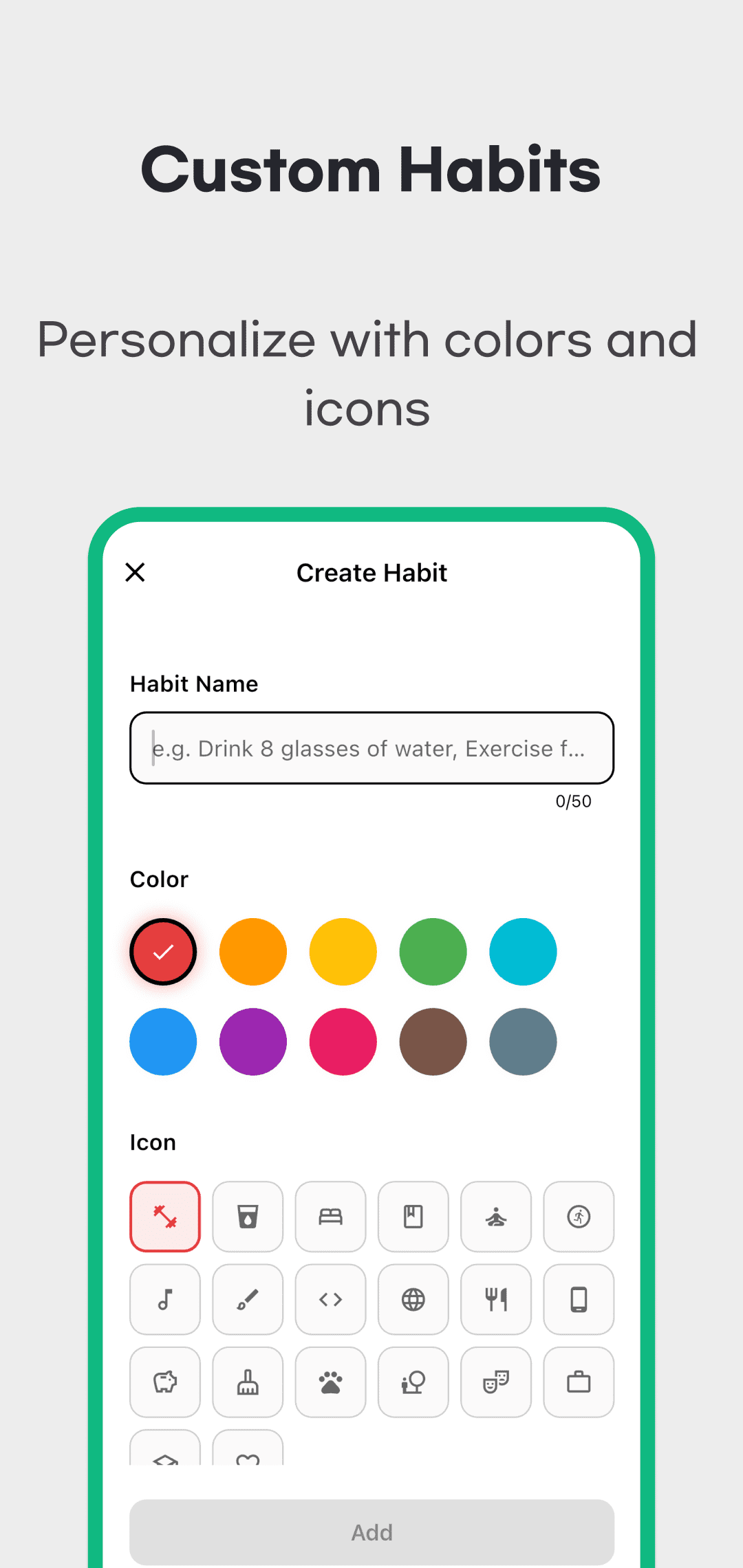
- Tap + on Home to open Create Habit.
- Enter a name, choose a color and icon, then tap Add. Names can contain up to 50 characters; an empty name cannot be saved.
- Tap the habit’s round check button on the right. Tapping the card body opens its detail screen.
- Tap the same check button again to cancel today’s check if it was a mistake. Repeated taps do not accumulate repetitions.
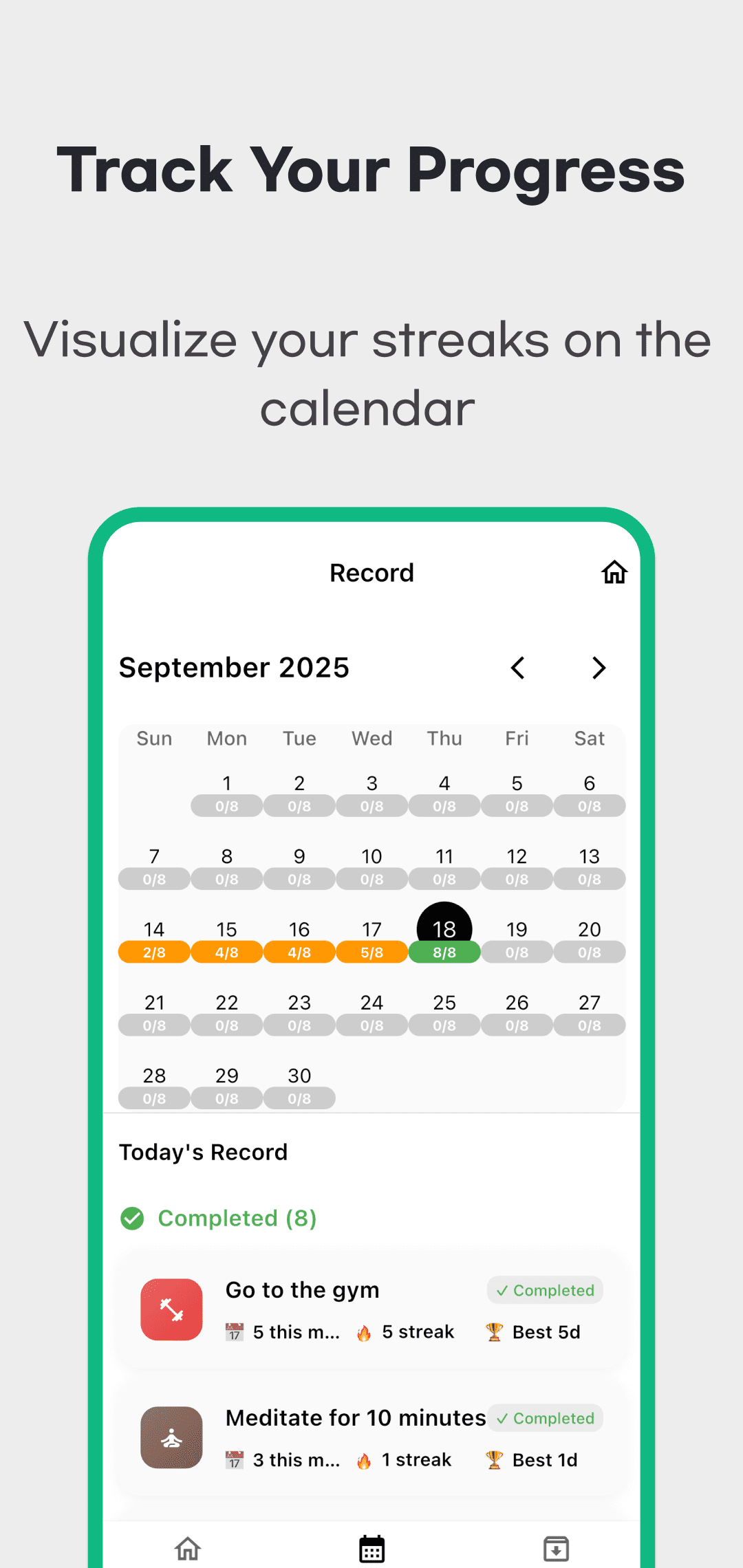
- Open the card’s detail calendar or select a date on the Record tab to review the saved history.
Read progress, monthly completion and streaks
| Display | What it means |
|---|---|
| Today's Progress on Home | The proportion of currently active habits checked today. Checking 3 of 4 habits gives 3/4, or 75%. Archived habits leave the active list and this calculation. |
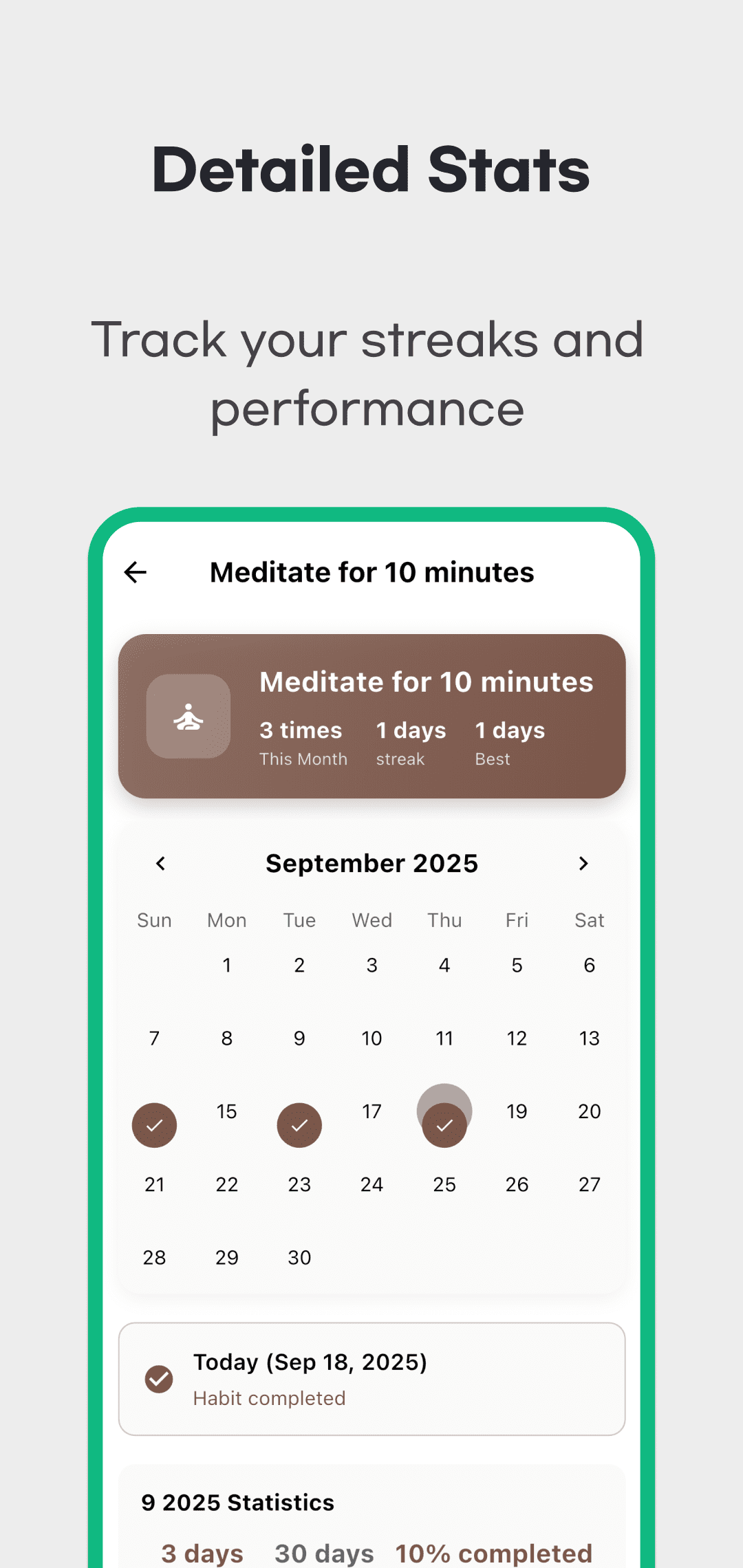
| Monthly completion in habit details | Checked dates in the selected calendar month divided by all calendar days in that month, rounded to a whole percentage. Checking 10 days in a 30-day month gives 10/30, or 33%. The denominator is not just the days elapsed since you created the habit. |
| Current streak | Consecutive checked dates ending today or yesterday. Yesterday's streak can remain visible before you check today. A gap in checked dates breaks the current streak. |
| Best streak | The longest sequence of checked dates in the stored history. A broken current streak does not erase the previous best. |
Each habit has one check state per day. These numbers do not establish how many times you performed it, how long it took or whether you met a weekly schedule.
Review history, edit, archive and restore
On Record, move between months and select a date to review its checked habits. Date selection is for viewing: this screen does not offer a control to add or edit past checks. Change today's check using the Home check button. When viewing an older date, do not read a card's “This Month” or streak labels as a snapshot of the statistics on that historical date.
Use the pencil edit button on Home to change a habit's name, color or icon. Editing the existing habit retains its checks. The trash-shaped button in the editor opens an Archive confirmation. Archiving removes the habit from the active Home and Record lists while retaining its history. Select Restore for that habit on the Archive tab to return it to the active list with its records. This action is not a permanent-delete control.
Storage and installation
Habits and checks are stored locally on the device. Reopening the app differs from deleting it or replacing your phone. The app does not provide cross-device sync, CSV export or restoration from a separate backup file. Keep a separate copy of important information before a move or reinstall; operating-system backup alone is not a recovery guarantee.
Checks use the device's local date. If the screen still shows an earlier state after the date changes, use Refresh on Home and check again. Do not assume that changing the device clock or time zone, or leaving the app in the background overnight, automatically corrects all records.
The app may contain ads. Check availability, device compatibility, advertising and privacy information on Google Play and the App Store, also linked in the shared download area below. This page explains the app's controls and records; it does not promise habit-building or motivation outcomes.
Use Support for problems and read the Privacy Policy for information handling. Include your device, operating system, app version, affected screen and the check or archive/restore steps when reporting an issue.