
The Dilution Ratio Calculator lets you save a completed calculation with a name and optional notes. This guide takes you from a new calculation to checking the saved entry after loading it. For replacing or deleting an existing entry, see Manage saved calculations.
Prepare a calculation before saving
Choose By Total when you know the finished volume, or By Material/Water when you know the concentrate or water amount. The ratio fields mean concentrate : water. Check which basis your product instructions use before entering their numbers.
Here is a calculation example, not a recommended product mixture: concentrate : water 1:100, finished volume 2 L, concentrate unit mL, and water/total unit L.
| Field | Value to enter or check |
|---|---|
| Mode and ratio | By Total; concentrate 1, water 100 |
| Total volume | 2 L |
| Concentrate result | 19.80 mL displayed |
| Water result | 1.98 L displayed |
The underlying amounts are about 19.80198 mL concentrate and 1.980198 L water. Results display two decimal places; adding the rounded display values may differ slightly from the entered total. A water amount of 2 L in the other mode would instead need 20 mL concentrate and make 2.02 L total.
Save the result and check the list
- Finish the calculation and check the mode, ratio, amounts and units.
- In the current layout, tap the add-bookmark save button in the top bar. Older versions used a heart button; its position in the original screenshots is not the current layout.
- Enter a nonempty name, such as “Example — 1:100 — total 2 L”. Notes are optional: record the product identity, instruction date or the volume basis you used.
- Tap Save. An ad may appear after the entry is saved; return to the calculator after it closes.
- Open the bookmarks list button in the top bar and confirm the new entry appears with the intended name and values.
Saving without a completed result shows a prompt to calculate first. A blank name must also be filled in. Repeated saves create additional entries, including when their names are the same.
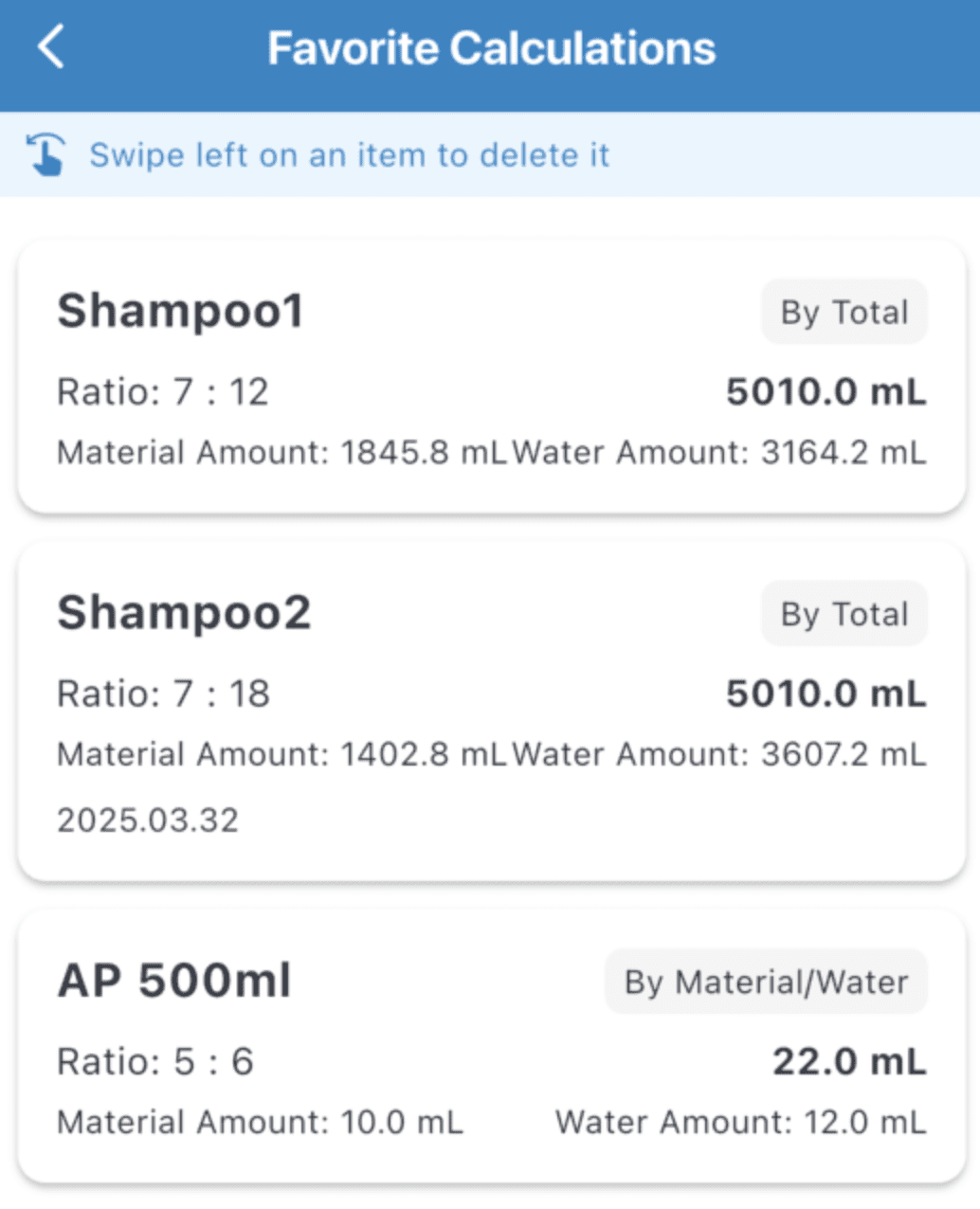
Reload and verify the input
Tap an entry in the list to return to the calculator. Check the restored mode, concentrate/water ratio, concentrate unit and water unit. In this example, the total-volume input should be 2 L, with the concentrate and water results above. Changing the calculator afterward does not automatically replace the stored entry.
If you change the total to 5 L at the same ratio, the displayed results are 49.50 mL concentrate and 4.95 L water. Save it under a new name to keep both quantities; follow the replacement and deletion steps when you want only one entry.
The amounts stay in the app's local favorites storage. This workflow does not provide an in-app cloud-sync, export or restore command; do not rely on it as your only copy when changing devices or removing the app. Local saving is separate from the app's advertising and analytics.
Before using a saved calculation
Recheck the current product instructions, units and volume basis. Saving a number does not validate a product's suitability or effectiveness. For pesticides, EPA explains why the product label directions matter; follow the applicable instructions for your product and location.
This guide was checked against local 1.3.3 source and the public App Store history on October 6, 2026. The published version is also 1.3.3; matching version numbers do not prove every installed build has the same layout. See the app introduction and downloads for the two calculation modes.