

Migraine Diary records when a headache starts and ends, with intensity, location, medication tags and notes that you can fill in later. You can start an entry from Home or add an earlier one through Calendar. The app does not automatically detect pain or diagnose its cause.
The images below are earlier promotional screenshots with sample data from June 2026. Their figures and trigger-finding wording do not guarantee a result. Layout and names may differ in the current version.
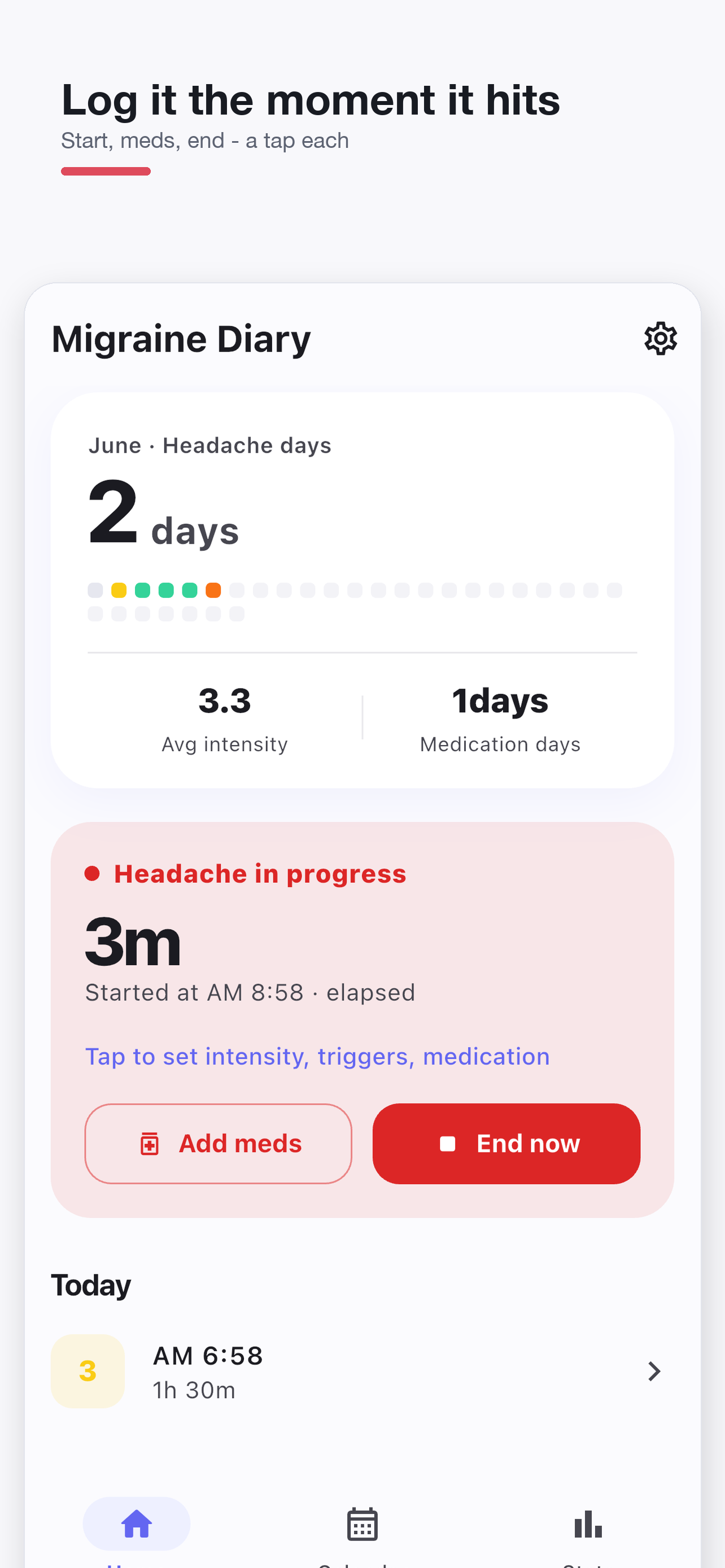
Start and finish a headache entry
- Tap Start headache on Home to create an ongoing entry at the current time.
- When it ends, tap End now on the ongoing card. Duration comes from the difference between the start and end times.
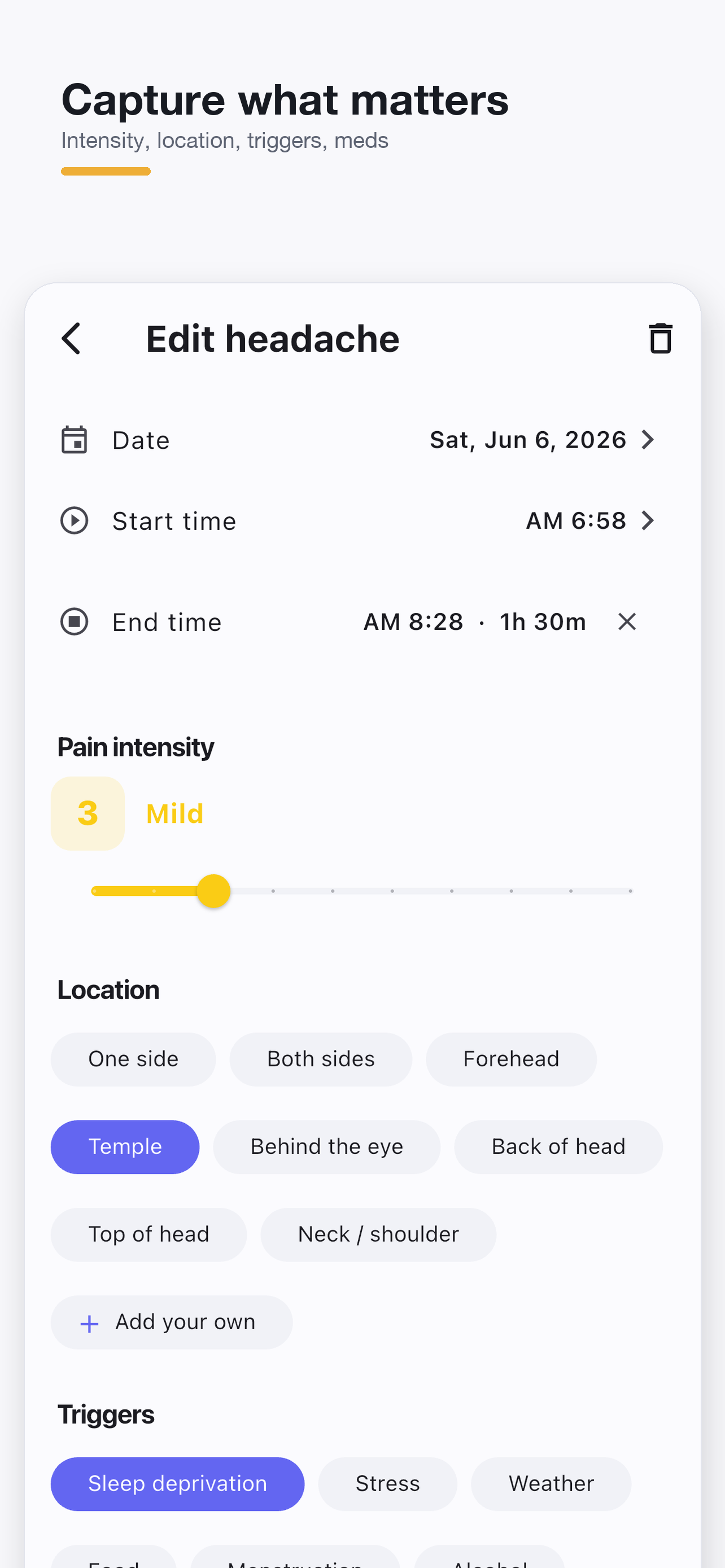
- Open the card or its calendar entry to add intensity, location, trigger tags and notes, then save.
A new entry starts with an intensity of 5. This is a default, not a measurement: change it to your own rating from 0 to 10. Starting an entry takes one tap; selecting details and saving them are separate steps. If an entry is already ongoing, check that entry first.
Add an earlier entry or correct a saved one
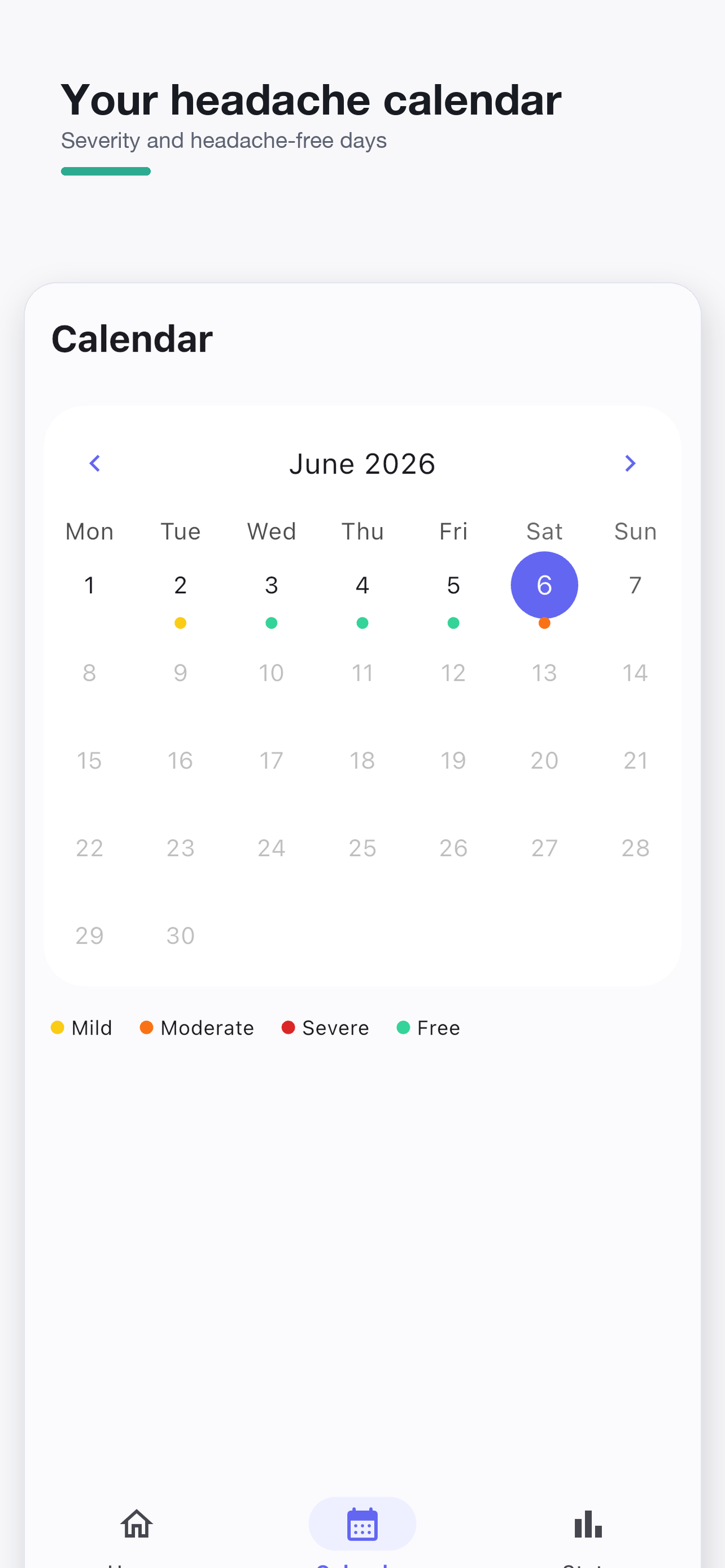
Select a date in Calendar and choose Headache to add an entry. Check its date, start time and end time before saving. For a date other than today, the suggested start time can be noon.
Tap an existing entry for that date to edit it. Correct its times there rather than adding a second record. After changing the date or start time, recheck the end time too. Clearing the end time makes the entry ongoing.
An overnight headache remains under its start date. For example, October 2 at 23:30 through October 3 at 01:00 is a 90-minute October 2 entry. An end time earlier than the start time is treated as the following day, so check that the dates match what happened. A future end time cannot be saved.
A worked example with three completed entries
Assume all three entries below fall within the selected statistics period. Medication is selected on the first two entries; stress is selected on the first and third.
| Start date | Start → end | Duration | Intensity | Selected tags |
|---|---|---|---|---|
| October 1 | 09:00 → 10:30 | 90 minutes | 4 | Medication, stress |
| October 1 | 18:00 → 18:30 | 30 minutes | 6 | Medication, lack of sleep |
| October 2 | 23:30 → 01:00 the next day | 90 minutes | 5 | Stress |
| Statistic | Result | Counting rule |
|---|---|---|
| Headache days | 2 days | Distinct start dates: October 1 and 2 |
| Headache entries | 3 | Two entries on one date still count separately |
| Average intensity | 5.0 | (4 + 6 + 5) ÷ 3 |
| Average duration | 70 minutes: 1 hour 10 minutes | (90 + 30 + 90) ÷ 3 |
| Medication days | 1 day | Distinct start dates with a medication tag |
| Stress tag count | 2 | Entries where you selected that tag |
If you edit the first end time to 11:00, that entry becomes 120 minutes long. There are still three entries, and average duration becomes 80 minutes: 1 hour 20 minutes. An ongoing entry counts toward headache days, entry count and average intensity, but is excluded from average duration.
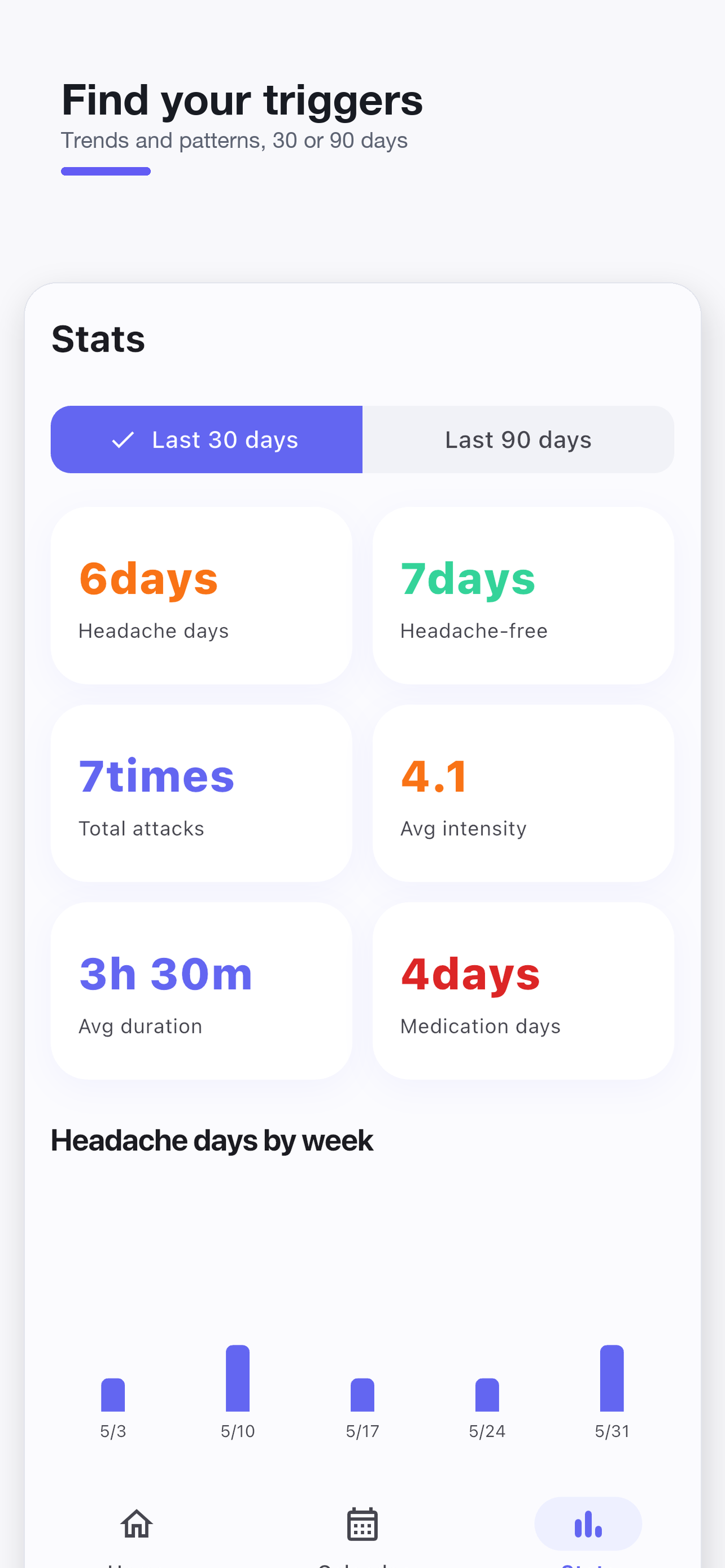
The Last 30 days and Last 90 days periods include today. An overnight entry is not split into two headache days. If its start date is outside the selected range, it is excluded from that range's statistics.
Read medication and trigger counts carefully
Tap Add meds on the ongoing card, select an item and choose Save. You can also edit medication tags on a saved entry. Medication days count distinct headache start dates with a medication tag. Selecting medication on two entries on the same date still gives one day; this is not a pill count, a dose log or a separate medication-time record.
The statistics screen displays a caution when medication days reach 10 or more in the current calendar month. This condition uses the calendar month even when the selected statistics period is 30 or 90 days. It is an app display rule, not a diagnosis of medication-overuse headache or a safe dosing limit. Discuss medication decisions with a clinician.
Top triggers counts tags you selected. Two stress tags do not establish that stress caused your headaches. The NHS migraine guidance explains that a diary may help identify possible triggers. You can use your records to describe events during a consultation; the app does not replace diagnosis or treatment.
An empty date is different from a headache-free check-in
Turn on Headache-free check-in in Settings to record a day without a headache. The home check-in is available when today has no entries and there is no ongoing headache. Unrecorded dates are not automatically counted as headache-free.
In the example above, an explicit headache-free check-in for October 4 adds one headache-free day. October 3 does not become headache-free simply because it has no separate entry. Overnight entries belong to their start date, so a blank calendar cell does not establish that you had no symptoms that day.
Reminders and keeping your records
Daily reminder is off by default. Enable it in Settings, choose a time and check device notification permissions. Permissions and battery settings can affect delivery.
Headache entries are stored in a local database on your device. There is no dedicated record export, cloud sync, or backup-and-restore menu described here. Keep any information you need separately before deleting the app, changing devices or using Delete all records.
The app can contain advertising, and advertising services can use the network. Local entry storage does not guarantee that the entire app makes no external connections. Check the store privacy information and the app's privacy policy.
If you also want to record bedtime and waking time, see the Sleep Diary guide. The apps do not automatically combine their entries or calculate a causal relationship between sleep and headaches.